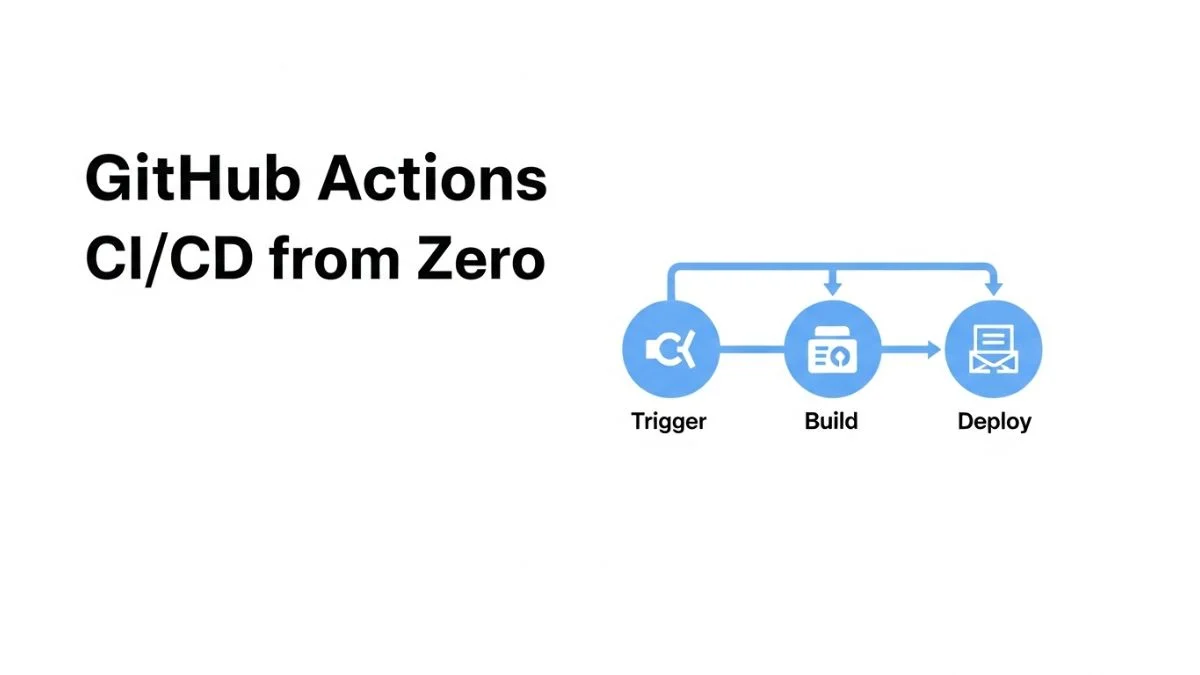
How to Set Up GitHub Actions CI/CD from Zero

How to Set Up GitHub Actions CI/CD from Zero
GitHub Actions eliminated the need for external CI/CD platforms for most projects by integrating automation directly into repositories. A developer can commit workflow configuration alongside code, trigger builds on pull requests, run tests in parallel across multiple environments, and deploy to production—all without leaving GitHub. The barrier to entry is nearly zero: no server provisioning, no plugin installation, no separate authentication system. Yet this accessibility masks complexity that emerges as projects grow beyond trivial examples.
This guide walks through building production-grade CI/CD pipelines with GitHub Actions from first principles. You'll learn workflow syntax, job orchestration, secret management, caching strategies, deployment patterns, and debugging techniques that separate functional pipelines from brittle ones. The examples progress from simple unit testing to multi-stage deployments with environment protection rules, demonstrating patterns applicable to real-world applications.
We'll cover workflow fundamentals, testing automation, build optimization, deployment strategies, security practices, and operational patterns for maintaining CI/CD pipelines.
Understanding GitHub Actions Architecture
GitHub Actions workflows are YAML files stored in .github/workflows/ that define automated processes triggered by repository events. Understanding the component hierarchy—workflows, jobs, steps, and actions—prevents common configuration mistakes and enables effective troubleshooting.
Component Hierarchy
| Component | Description | Execution Context |
|---|---|---|
| Workflow | Top-level automation process | Triggered by events |
| Job | Group of steps that run on same runner | Fresh VM or container |
| Step | Individual task within a job | Sequential execution |
| Action | Reusable unit of code | Called within steps |
Jobs run in parallel by default, each on a separate runner. Steps within a job execute sequentially on the same runner, sharing filesystem and environment variables. This model enables parallelizing independent tasks (testing, linting, security scanning) while ensuring sequential operations that depend on previous outputs run in order.
Workflow Triggers
Events determine when workflows execute. The most common triggers:
# Run on push to any branch
on: push

# Run on push to specific branches
on:
  push:
    branches:
      - main
      - develop

# Run on pull request events
on:
  pull_request:
    branches:
      - main

# Run on schedule (cron syntax)
on:
  schedule:
    - cron: '0 0 * * *'  # Daily at midnight UTC

# Run manually via GitHub UI
on: workflow_dispatch

# Multiple triggers
on:
  push:
    branches: [main]
  pull_request:
    branches: [main]
  workflow_dispatch:
Your First Workflow: Testing a Node.js Application
Start with a workflow that installs dependencies, runs tests, and reports results—the foundation of any CI pipeline.
Basic Test Workflow
Create .github/workflows/test.yml:
name: Test

on:
  push:
    branches: [main, develop]
  pull_request:
    branches: [main]

jobs:
  test:
    runs-on: ubuntu-latest

    steps:
      - name: Checkout code
        uses: actions/checkout@v4

      - name: Setup Node.js
        uses: actions/setup-node@v4
        with:
          node-version: '18'

      - name: Install dependencies
        run: npm ci

      - name: Run tests
        run: npm test

      - name: Run linter
        run: npm run lint
This workflow triggers on pushes to main/develop and pull requests to main. It checks out code, sets up Node.js 18, installs dependencies with npm ci (faster and more reliable than npm install), then runs tests and linting.
Multi-Version Testing Matrix
Test across multiple Node.js versions to ensure compatibility:
jobs:
  test:
    runs-on: ubuntu-latest

    strategy:
      matrix:
        node-version: [16, 18, 20]

    steps:
      - uses: actions/checkout@v4

      - name: Setup Node.js ${{ matrix.node-version }}
        uses: actions/setup-node@v4
        with:
          node-version: ${{ matrix.node-version }}

      - name: Install dependencies
        run: npm ci

      - name: Run tests
        run: npm test
The matrix strategy creates three parallel jobs, each testing against a different Node.js version. GitHub displays results for each matrix combination separately, making it easy to identify version-specific failures.
Optimizing Build Performance with Caching
Every workflow starts with a fresh runner environment, meaning dependencies install from scratch each run. For projects with many dependencies, this wastes significant time. Caching restores dependencies from previous runs when possible.
Dependency Caching Pattern
steps:
  - uses: actions/checkout@v4

  - name: Setup Node.js
    uses: actions/setup-node@v4
    with:
      node-version: '18'
      cache: 'npm'  # Automatic caching of npm dependencies

  - name: Install dependencies
    run: npm ci

  - name: Run tests
    run: npm test
The cache: 'npm' option tells setup-node to cache node_modules based on package-lock.json hash. When the lockfile hasn't changed, subsequent runs restore cached dependencies instead of downloading, reducing install time from 30-60 seconds to 5-10 seconds.
Custom Cache Configuration
For more control, use the cache action directly:
- name: Cache dependencies
  uses: actions/cache@v3
  with:
    path: |
      ~/.npm
      node_modules
    key: ${{ runner.os }}-node-${{ hashFiles('**/package-lock.json') }}
    restore-keys: |
      ${{ runner.os }}-node-

- name: Install dependencies
  run: npm ci
The cache key incorporates the runner OS and package-lock.json hash, ensuring cache invalidation when dependencies change. The restore-keys provide fallback matching for partial cache hits.
Build Artifact Caching
Cache compiled outputs between workflow steps:
jobs:
  build:
    runs-on: ubuntu-latest
    steps:
      - uses: actions/checkout@v4
      - uses: actions/setup-node@v4
        with:
          node-version: '18'
          cache: 'npm'
      - run: npm ci
      - run: npm run build

      - name: Upload build artifacts
        uses: actions/upload-artifact@v3
        with:
          name: dist
          path: dist/

  deploy:
    needs: build
    runs-on: ubuntu-latest
    steps:
      - name: Download build artifacts
        uses: actions/download-artifact@v3
        with:
          name: dist
          path: dist/

      - name: Deploy
        run: ./deploy.sh
The build job uploads compiled artifacts; the deploy job downloads them. This avoids rebuilding in the deploy job, saving time and ensuring deployment uses exactly what was tested.
Managing Secrets and Environment Variables
CI/CD pipelines require access to sensitive data: API keys, deployment credentials, database passwords. GitHub provides encrypted secrets storage accessible to workflows without exposing values in logs.
Creating Secrets
Navigate to repository Settings → Secrets and variables → Actions → New repository secret. Add secrets like AWS_ACCESS_KEY_ID, DEPLOY_TOKEN, etc.
Using Secrets in Workflows
jobs:
  deploy:
    runs-on: ubuntu-latest
    steps:
      - uses: actions/checkout@v4

      - name: Deploy to production
        env:
          AWS_ACCESS_KEY_ID: ${{ secrets.AWS_ACCESS_KEY_ID }}
          AWS_SECRET_ACCESS_KEY: ${{ secrets.AWS_SECRET_ACCESS_KEY }}
          DEPLOY_TOKEN: ${{ secrets.DEPLOY_TOKEN }}
        run: |
          ./deploy.sh
Secrets are masked in logs—any output containing the secret value appears as ***. Never echo secrets or pass them to untrusted actions.
Environment-Specific Secrets
GitHub Environments provide scoped secrets for staging, production, etc:
jobs:
  deploy-staging:
    runs-on: ubuntu-latest
    environment: staging
    steps:
      - name: Deploy
        env:
          API_KEY: ${{ secrets.API_KEY }}  # Staging-specific API_KEY
        run: ./deploy.sh staging

  deploy-production:
    runs-on: ubuntu-latest
    environment: production
    steps:
      - name: Deploy
        env:
          API_KEY: ${{ secrets.API_KEY }}  # Production-specific API_KEY
        run: ./deploy.sh production
Each environment has separate secrets with the same names. The environment key determines which secret values load. Environments also support protection rules requiring approvals before deployment.
Docker Build and Push Workflow
Containerized applications require building Docker images and pushing to registries as part of CI/CD.
Basic Docker Workflow
name: Docker Build

on:
  push:
    branches: [main]

jobs:
  build:
    runs-on: ubuntu-latest

    steps:
      - uses: actions/checkout@v4

      - name: Set up Docker Buildx
        uses: docker/setup-buildx-action@v3

      - name: Login to Docker Hub
        uses: docker/login-action@v3
        with:
          username: ${{ secrets.DOCKER_USERNAME }}
          password: ${{ secrets.DOCKER_PASSWORD }}

      - name: Build and push
        uses: docker/build-push-action@v5
        with:
          context: .
          push: true
          tags: |
            myorg/myapp:latest
            myorg/myapp:${{ github.sha }}
          cache-from: type=registry,ref=myorg/myapp:buildcache
          cache-to: type=registry,ref=myorg/myapp:buildcache,mode=max
This workflow builds a Docker image, tags it with both latest and the git commit SHA, and pushes to Docker Hub. The cache configuration reuses layers from previous builds, dramatically speeding up subsequent builds.
Multi-Platform Builds
Build images for multiple architectures (amd64, arm64):
- name: Build and push multi-platform
  uses: docker/build-push-action@v5
  with:
    context: .
    platforms: linux/amd64,linux/arm64
    push: true
    tags: myorg/myapp:${{ github.sha }}
Buildx handles cross-platform compilation, producing manifest lists that work on both x86 and ARM architectures.
Deployment Workflows
Deploy to AWS with Environment Protection
name: Deploy

on:
  push:
    branches: [main]

jobs:
  deploy-staging:
    runs-on: ubuntu-latest
    environment:
      name: staging
      url: https://staging.example.com

    steps:
      - uses: actions/checkout@v4

      - name: Configure AWS credentials
        uses: aws-actions/configure-aws-credentials@v4
        with:
          aws-access-key-id: ${{ secrets.AWS_ACCESS_KEY_ID }}
          aws-secret-access-key: ${{ secrets.AWS_SECRET_ACCESS_KEY }}
          aws-region: us-east-1

      - name: Deploy to ECS
        run: |
          aws ecs update-service \
            --cluster staging-cluster \
            --service myapp \
            --force-new-deployment

  deploy-production:
    needs: deploy-staging
    runs-on: ubuntu-latest
    environment:
      name: production
      url: https://example.com

    steps:
      - uses: actions/checkout@v4

      - name: Configure AWS credentials
        uses: aws-actions/configure-aws-credentials@v4
        with:
          aws-access-key-id: ${{ secrets.AWS_ACCESS_KEY_ID }}
          aws-secret-access-key: ${{ secrets.AWS_SECRET_ACCESS_KEY }}
          aws-region: us-east-1

      - name: Deploy to ECS
        run: |
          aws ecs update-service \
            --cluster production-cluster \
            --service myapp \
            --force-new-deployment
This workflow deploys to staging automatically, then waits for production environment approval (configured in repository settings). The needs keyword ensures production deployment only occurs after staging succeeds.
Kubernetes Deployment
- name: Set up kubectl
  uses: azure/setup-kubectl@v3

- name: Configure kubeconfig
  run: |
    echo "${{ secrets.KUBECONFIG }}" | base64 -d > kubeconfig
    export KUBECONFIG=./kubeconfig

- name: Deploy to Kubernetes
  run: |
    kubectl set image deployment/myapp \
      myapp=myorg/myapp:${{ github.sha }} \
      --record

- name: Wait for rollout
  run: |
    kubectl rollout status deployment/myapp \
      --timeout=300s
Advanced Workflow Patterns
Conditional Job Execution
Run jobs only when specific conditions are met:
jobs:
  test:
    runs-on: ubuntu-latest
    steps:
      - uses: actions/checkout@v4
      - run: npm test

  deploy:
    needs: test
    runs-on: ubuntu-latest
    # Only deploy from main branch, not PRs
    if: github.ref == 'refs/heads/main' && github.event_name == 'push'
    steps:
      - name: Deploy
        run: ./deploy.sh
Matrix Builds with Include/Exclude
strategy:
  matrix:
    os: [ubuntu-latest, macos-latest, windows-latest]
    node: [16, 18, 20]
    exclude:
      # Don't test Node 16 on Windows
      - os: windows-latest
        node: 16
    include:
      # Add experimental Node 21 on Ubuntu only
      - os: ubuntu-latest
        node: 21
        experimental: true
Reusable Workflows
Define workflows that other workflows can call:
# .github/workflows/reusable-test.yml
name: Reusable Test

on:
  workflow_call:
    inputs:
      node-version:
        required: true
        type: string

jobs:
  test:
    runs-on: ubuntu-latest
    steps:
      - uses: actions/checkout@v4
      - uses: actions/setup-node@v4
        with:
          node-version: ${{ inputs.node-version }}
      - run: npm ci
      - run: npm test

# .github/workflows/main.yml
name: Main CI

on: push

jobs:
  test-node-18:
    uses: ./.github/workflows/reusable-test.yml
    with:
      node-version: '18'

  test-node-20:
    uses: ./.github/workflows/reusable-test.yml
    with:
      node-version: '20'
Debugging and Troubleshooting
Enable Debug Logging
Add repository secrets for verbose logging:
ACTIONS_STEP_DEBUG=true(step-level debugging)ACTIONS_RUNNER_DEBUG=true(runner-level debugging)
Re-run failed workflows to see detailed output showing environment setup, action execution, and variable expansion.
SSH into Runner
For complex debugging, use tmate action to SSH into the runner:
- name: Setup tmate session
  if: failure()
  uses: mxschmitt/action-tmate@v3
  timeout-minutes: 30
When a previous step fails, this creates an SSH session you can connect to, inspecting the runner state directly. Remove this step before merging—never leave it in production workflows.
Common Issues and Solutions
| Issue | Cause | Solution |
|---|---|---|
| Workflow not triggering | YAML syntax error or filter mismatch | Validate YAML, check branch/path filters |
| Secret not available | PR from fork or wrong environment | Check environment context and fork permissions |
| Cache never hits | Key changes every run | Ensure cache key is stable (hash dependency files) |
| Dependency install fails | Lockfile out of sync | Commit updated package-lock.json |
| Timeout after 6 hours | Job exceeds maximum duration | Split into multiple jobs or optimize steps |
Security Best Practices
Pin Action Versions
# Bad: Uses latest version (mutable)
- uses: actions/checkout@v4

# Good: Pinned to specific SHA (immutable)
- uses: actions/checkout@b4ffde65f46336ab88eb53be808477a3936bae11  # v4.1.1
SHA pinning prevents supply chain attacks where action maintainers could push malicious updates. Comment the version tag for readability.
Least Privilege Permissions
permissions:
  contents: read  # Read repository contents
  pull-requests: write  # Comment on PRs
  # No other permissions granted

jobs:
  test:
    runs-on: ubuntu-latest
    steps:
      - uses: actions/checkout@v4
      - run: npm test
Explicitly declare required permissions instead of accepting defaults. This limits damage if a workflow is compromised.
Scan Dependencies for Vulnerabilities
- name: Run security audit
  run: npm audit --audit-level=high

- name: Scan container image
  uses: aquasecurity/trivy-action@master
  with:
    image-ref: myorg/myapp:${{ github.sha }}
    severity: CRITICAL,HIGH
Cost Optimization
GitHub provides free minutes for public repositories and limited minutes for private repositories. Optimizing workflow efficiency reduces costs and speeds up feedback loops.
Reduce Workflow Runs
# Only run on specific paths
on:
  push:
    paths:
      - 'src/**'
      - 'package*.json'
      - '.github/workflows/**'

# Skip CI commits
on:
  push:
    branches: [main]

jobs:
  test:
    if: "!contains(github.event.head_commit.message, '[skip ci]')"
    runs-on: ubuntu-latest
Optimize Job Execution
- Use caching aggressively for dependencies and build artifacts
- Parallelize independent jobs with matrix strategies
- Use smaller runners when sufficient (ubuntu-latest vs large runners)
- Cancel in-progress runs when new commits push to the same PR
concurrency:
  group: ${{ github.workflow }}-${{ github.ref }}
  cancel-in-progress: true
Monitoring and Observability
Workflow Status Badges
Add status badges to README.md:
 
Notifications
GitHub notifies on workflow failures by default. For additional alerting:
- name: Notify Slack on failure
  if: failure()
  uses: slackapi/slack-github-action@v1
  with:
    webhook-url: ${{ secrets.SLACK_WEBHOOK }}
    payload: |
      {
        "text": "Workflow failed: ${{ github.workflow }}",
        "url": "${{ github.server_url }}/${{ github.repository }}/actions/runs/${{ github.run_id }}"
      }
Real-World Example: Full Stack Application
Complete workflow for a Node.js application with testing, building, and deployment:
name: CI/CD

on:
  push:
    branches: [main, develop]
  pull_request:
    branches: [main]

concurrency:
  group: ${{ github.workflow }}-${{ github.ref }}
  cancel-in-progress: true

jobs:
  test:
    runs-on: ubuntu-latest
    strategy:
      matrix:
        node-version: [18, 20]

    steps:
      - uses: actions/checkout@v4

      - name: Setup Node.js ${{ matrix.node-version }}
        uses: actions/setup-node@v4
        with:
          node-version: ${{ matrix.node-version }}
          cache: 'npm'

      - name: Install dependencies
        run: npm ci

      - name: Run linter
        run: npm run lint

      - name: Run tests
        run: npm test -- --coverage

      - name: Upload coverage
        uses: codecov/codecov-action@v3
        if: matrix.node-version == '18'

  build:
    needs: test
    runs-on: ubuntu-latest
    if: github.event_name == 'push'

    steps:
      - uses: actions/checkout@v4

      - uses: actions/setup-node@v4
        with:
          node-version: '18'
          cache: 'npm'

      - run: npm ci
      - run: npm run build

      - name: Upload build artifacts
        uses: actions/upload-artifact@v3
        with:
          name: dist
          path: dist/

  docker:
    needs: build
    runs-on: ubuntu-latest
    if: github.ref == 'refs/heads/main'

    steps:
      - uses: actions/checkout@v4

      - name: Set up Docker Buildx
        uses: docker/setup-buildx-action@v3

      - name: Login to Docker Hub
        uses: docker/login-action@v3
        with:
          username: ${{ secrets.DOCKER_USERNAME }}
          password: ${{ secrets.DOCKER_PASSWORD }}

      - name: Build and push
        uses: docker/build-push-action@v5
        with:
          context: .
          push: true
          tags: |
            myorg/myapp:latest
            myorg/myapp:${{ github.sha }}
          cache-from: type=registry,ref=myorg/myapp:buildcache
          cache-to: type=registry,ref=myorg/myapp:buildcache,mode=max

  deploy:
    needs: docker
    runs-on: ubuntu-latest
    if: github.ref == 'refs/heads/main'
    environment:
      name: production
      url: https://example.com

    steps:
      - uses: actions/checkout@v4

      - name: Deploy to production
        env:
          DEPLOY_KEY: ${{ secrets.DEPLOY_KEY }}
        run: |
          ./deploy.sh production myorg/myapp:${{ github.sha }}
Frequently Asked Questions
How much do GitHub Actions cost?
Public repositories get unlimited free minutes. Private repositories receive free minutes based on plan: 2,000 minutes/month for Free, 3,000 for Pro. Additional minutes cost $0.008 per minute for Linux runners. macOS and Windows runners cost more. Self-hosted runners are free regardless of usage.
Can I run GitHub Actions on my own servers?
Yes. Self-hosted runners install on your infrastructure and execute workflows without consuming GitHub-hosted minutes. This is cost-effective for high-volume builds and enables access to internal resources. However, you're responsible for runner security, updates, and maintenance.
How do I test workflows locally before pushing?
Use act, a tool that runs GitHub Actions locally using Docker. Install with brew install act or download from GitHub. Run act in your repository to execute workflows locally. Not all features work identically, but it catches most issues.
What's the maximum workflow run time?
Individual jobs timeout at 6 hours by default (configurable up to 6 hours). Entire workflow runs timeout at 35 days. If jobs exceed these limits, split into multiple workflows or optimize long-running processes.
Can I trigger workflows from external systems?
Yes, using repository_dispatch events. External systems send authenticated POST requests to GitHub API triggering workflows. This enables integration with non-GitHub systems like internal deployment tools or monitoring systems.
How do I pass data between jobs?
Use artifacts (for files) or job outputs (for strings). Job outputs set values that dependent jobs can reference. Artifacts upload files that subsequent jobs download. Both approaches maintain data across the fresh environment each job receives.
Can workflows modify pull request code?
Yes, with appropriate permissions. Workflows can commit changes, add comments, request reviewers, or close PRs. Use cases include auto-formatting code, updating lockfiles, or running automated refactoring. Ensure proper authentication and permissions.
What happens if GitHub Actions goes down?
Workflows queue until service restores. GitHub provides status updates at status.github.com. For critical deployments, consider maintaining ability to deploy manually or through alternative automation. GitHub Actions has high availability but isn't infallible.
Should I use GitHub Actions or external CI/CD?
GitHub Actions suits most projects due to tight integration and zero setup. Consider external CI/CD if you need features GitHub Actions lacks: exotic runner architectures, specific compliance requirements, existing integrations with non-GitHub tools, or usage-based pricing advantages at very high scale.
How do I handle monorepos with multiple projects?
Use path filters to trigger workflows only when specific directories change. Combine with matrix strategies to test multiple projects in parallel. Some teams use separate workflows per project; others use dynamic job matrices that detect changed projects and test only those.
Conclusion
GitHub Actions provides powerful CI/CD capabilities integrated directly into your development workflow. Starting with basic testing workflows and progressively adding build optimization, deployment automation, and advanced patterns creates robust pipelines that improve code quality and accelerate delivery.
The examples in this guide form building blocks for production pipelines. Adapt patterns to your specific technology stack, testing requirements, and deployment targets. Invest time in caching strategies and job parallelization—the performance improvements compound across every commit. Implement security best practices from the start rather than retrofitting them later.
The best CI/CD pipeline is one that runs fast, fails clearly when problems exist, and stays out of the way when everything works. Build incrementally, measure results, and refine based on actual bottlenecks rather than premature optimization.