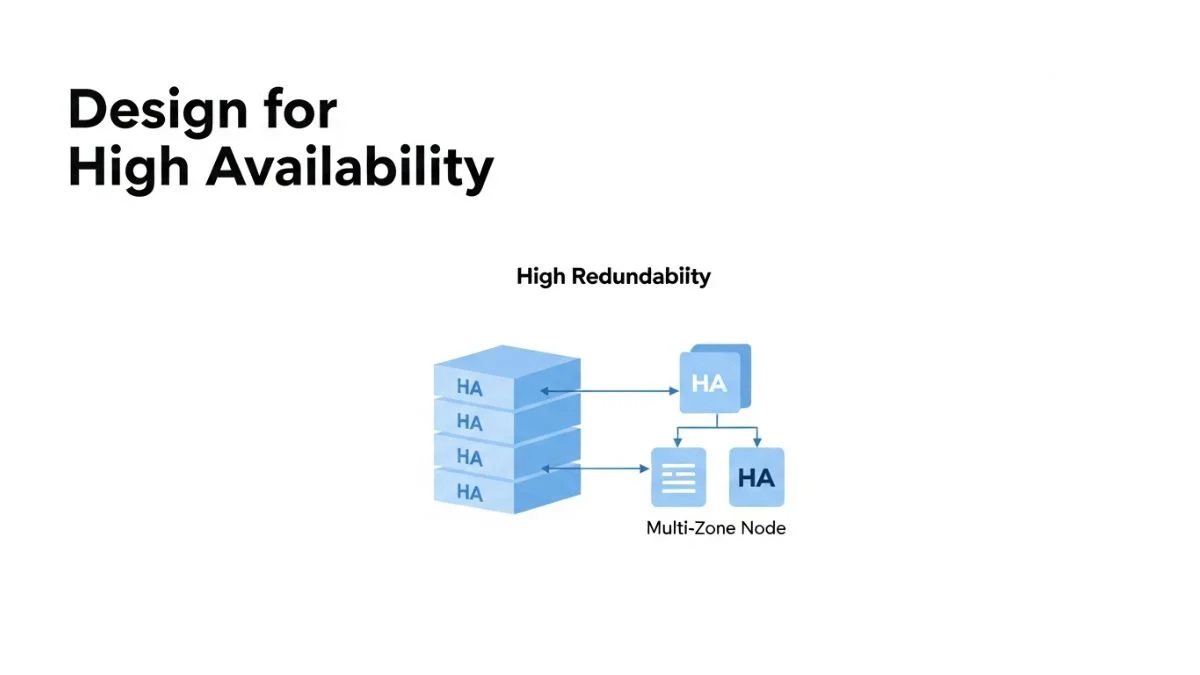
How to Design for High Availability

How to Design for High Availability
High availability systems stay running when components fail. The difference between 99% uptime (3.65 days down per year) and 99.99% uptime (52 minutes down per year) isn't better hardware — it's architectural decisions made before the first line of code is written. Systems achieve high availability through redundancy, automated failover, and graceful degradation, not through hoping nothing breaks.
This article covers the specific design patterns that enable high availability in production systems. You'll learn how to eliminate single points of failure, implement health checking and automatic recovery, design database architectures that survive failures, and make trade-offs between consistency and availability. The focus is on practical patterns you can implement without requiring massive infrastructure budgets or dedicated SRE teams.
We'll work through availability calculations, redundancy strategies, and specific implementation patterns with examples in cloud environments and Kubernetes, along with the monitoring and testing approaches that verify your system actually achieves its availability targets.
Understanding Availability Requirements
Before designing for high availability, you need to quantify what "high" means for your system. Availability is measured as a percentage of time the system is operational over a given period. Each additional "nine" of availability drastically reduces allowed downtime and increases implementation complexity and cost.
| Availability | Downtime per Year | Downtime per Month | Typical Use Case |
|---|---|---|---|
| 99% (Two nines) | 3.65 days | 7.2 hours | Internal tools, dev environments |
| 99.9% (Three nines) | 8.76 hours | 43.2 minutes | Most SaaS applications |
| 99.95% (Three and a half nines) | 4.38 hours | 21.6 minutes | Business-critical applications |
| 99.99% (Four nines) | 52.56 minutes | 4.32 minutes | Financial services, e-commerce |
| 99.999% (Five nines) | 5.26 minutes | 25.9 seconds | Telecom, emergency services |
The critical insight: each additional nine costs exponentially more to achieve. Going from 99% to 99.9% might double your infrastructure costs. Going from 99.9% to 99.99% might triple them again. Before committing to an availability target, calculate the business cost of downtime and compare it to the engineering cost of preventing that downtime.
Most applications don't need 99.99% availability. If your service generates $10,000 revenue per hour and achieving 99.99% instead of 99.9% costs $50,000 per year in additional infrastructure and engineering, the math doesn't justify it. You're spending $50K to prevent roughly 8 hours of downtime, saving $80K in lost revenue — barely break-even before considering opportunity cost of engineering time.
Eliminating Single Points of Failure
A single point of failure (SPOF) is any component whose failure causes the entire system to fail. High availability requires identifying and eliminating every SPOF through redundancy. This means running multiple instances of every critical component and ensuring the system continues operating when any single instance fails.
Application layer redundancy: Run multiple instances of your application behind a load balancer. If one instance crashes, the load balancer routes traffic to healthy instances.
# Kubernetes deployment with multiple replicas
apiVersion: apps/v1
kind: Deployment
metadata:
  name: web-app
spec:
  replicas: 3  # Always run at least 3 instances
  selector:
    matchLabels:
      app: web-app
  template:
    metadata:
      labels:
        app: web-app
    spec:
      # Anti-affinity ensures pods run on different nodes
      affinity:
        podAntiAffinity:
          requiredDuringSchedulingIgnoredDuringExecution:
          - labelSelector:
              matchExpressions:
              - key: app
                operator: In
                values:
                - web-app
            topologyKey: kubernetes.io/hostname
      containers:
      - name: web
        image: web-app:v2
        resources:
          requests:
            cpu: 100m
            memory: 256Mi
          limits:
            cpu: 500m
            memory: 512Mi
        livenessProbe:
          httpGet:
            path: /health
            port: 8080
          initialDelaySeconds: 30
          periodSeconds: 10
        readinessProbe:
          httpGet:
            path: /ready
            port: 8080
          initialDelaySeconds: 5
          periodSeconds: 5
---
# Horizontal Pod Autoscaler for dynamic scaling
apiVersion: autoscaling/v2
kind: HorizontalPodAutoscaler
metadata:
  name: web-app-hpa
spec:
  scaleTargetRef:
    apiVersion: apps/v1
    kind: Deployment
    name: web-app
  minReplicas: 3
  maxReplicas: 10
  metrics:
  - type: Resource
    resource:
      name: cpu
      target:
        type: Utilization
        averageUtilization: 70
The pod anti-affinity rule ensures Kubernetes schedules pods on different nodes. Without this, all three replicas might run on the same node, which means a single node failure takes down all instances. The HPA automatically scales between 3-10 replicas based on CPU utilization, ensuring you maintain redundancy even during load spikes.
Database layer redundancy: Single-instance databases are common SPOFs. High availability databases use replication to maintain multiple copies of data across different servers.
# PostgreSQL with streaming replication
# Primary database configuration (postgresql.conf)
wal_level = replica
max_wal_senders = 3
wal_keep_size = 64

# Standby database configuration
primary_conninfo = 'host=primary-db port=5432 user=replicator'
hot_standby = on
This creates a primary-standby configuration where the standby continuously replicates changes from the primary. If the primary fails, you promote the standby to primary. Modern managed databases (RDS, Cloud SQL) handle this automatically, but understanding the underlying pattern helps you design application-level failover correctly.
Health Checks and Automated Recovery
Redundancy only provides high availability if failures are detected and traffic is automatically rerouted to healthy instances. This requires comprehensive health checking at multiple levels: application health, dependency health, and overall system health.
Liveness vs Readiness checks: These serve different purposes and should test different things. Liveness checks determine if the application should be restarted (process crashed, deadlocked, or unrecoverable state). Readiness checks determine if the application should receive traffic (starting up, temporarily unable to serve requests, or waiting for dependencies).
// Health check endpoints in Node.js
const express = require('express');
const app = express();

// State tracking
let isShuttingDown = false;
let dbConnected = false;
let cacheConnected = false;

// Liveness check - only fails if the process is broken beyond repair
app.get('/health/live', (req, res) => {
    // Don't fail liveness just because dependencies are down
    // Only fail if this specific process needs to be killed
    res.status(200).json({ status: 'alive' });
});

// Readiness check - fails if we can't serve requests
app.get('/health/ready', async (req, res) => {
    if (isShuttingDown) {
        return res.status(503).json({
            status: 'not ready',
            reason: 'shutting down'
        });
    }

    // Check critical dependencies
    const checks = await Promise.all([
        checkDatabase(),
        checkCache(),
        checkDiskSpace()
    ]);

    const allHealthy = checks.every(check => check.healthy);

    if (allHealthy) {
        res.status(200).json({
            status: 'ready',
            checks: checks
        });
    } else {
        res.status(503).json({
            status: 'not ready',
            checks: checks
        });
    }
});

async function checkDatabase() {
    try {
        await db.query('SELECT 1');
        dbConnected = true;
        return { name: 'database', healthy: true };
    } catch (error) {
        dbConnected = false;
        return { name: 'database', healthy: false, error: error.message };
    }
}

async function checkCache() {
    try {
        await redis.ping();
        cacheConnected = true;
        return { name: 'cache', healthy: true };
    } catch (error) {
        cacheConnected = false;
        return { name: 'cache', healthy: false, error: error.message };
    }
}

async function checkDiskSpace() {
    const diskUsage = await getDiskUsage();
    return {
        name: 'disk',
        healthy: diskUsage < 90,
        details: { usage: diskUsage }
    };
}

// Graceful shutdown
process.on('SIGTERM', async () => {
    console.log('SIGTERM received, starting graceful shutdown');
    isShuttingDown = true;

    // Stop accepting new requests (readiness check will fail)
    // Give load balancer time to remove us from rotation
    await new Promise(resolve => setTimeout(resolve, 5000));

    // Close server
    server.close(() => {
        console.log('Server closed');
        process.exit(0);
    });
});
The distinction is critical: if your readiness check fails because the database is temporarily slow, you don't want to restart the pod — you want to stop sending it traffic until the database recovers. Restarting the pod doesn't fix the database issue and wastes time on unnecessary restarts.
Load Balancing Patterns
Load balancers distribute traffic across multiple instances and route around failed instances. The choice of load balancing algorithm affects both availability and performance under various failure scenarios.
Round-robin: Simple and works well when all instances have equal capacity. Fails to account for instance load differences or geographic proximity.
Least connections: Routes to the instance with fewest active connections. Better than round-robin when request processing time varies significantly. Fails to account for instance capacity differences.
Weighted round-robin: Assigns weights to instances based on capacity. Routes more traffic to more powerful instances. Useful during blue-green deployments where old and new versions have different performance characteristics.
Geographic routing: Routes requests to the nearest datacenter. Essential for multi-region deployments to minimize latency and comply with data residency requirements.
# Nginx configuration with health checks and weighted balancing
upstream backend {
    least_conn;  # Use least connections algorithm

    # Primary datacenter (higher weight)
    server backend1.primary.com:8080 weight=3 max_fails=3 fail_timeout=30s;
    server backend2.primary.com:8080 weight=3 max_fails=3 fail_timeout=30s;

    # Backup datacenter (lower weight, higher latency)
    server backend1.backup.com:8080 weight=1 max_fails=3 fail_timeout=30s backup;

    # Health check configuration
    keepalive 32;
}

server {
    listen 80;

    location / {
        proxy_pass http://backend;
        proxy_next_upstream error timeout http_500 http_502 http_503;
        proxy_next_upstream_tries 3;
        proxy_connect_timeout 2s;
        proxy_send_timeout 10s;
        proxy_read_timeout 10s;

        # Health check
        health_check interval=10s fails=3 passes=2 uri=/health/ready;
    }
}
The max_fails and fail_timeout parameters implement a circuit breaker pattern at the load balancer level. After 3 failures within 30 seconds, the instance is marked as unhealthy and receives no traffic for 30 seconds. The backup parameter ensures the backup datacenter only receives traffic when primary datacenter instances are all unhealthy.
Multi-Region Architecture
Single-region architectures are vulnerable to regional outages — data center fires, network partitions, natural disasters. Multi-region architectures replicate your application across geographically distributed data centers, allowing the system to survive regional failures.
The trade-off is complexity and cost. You're running infrastructure in multiple regions, synchronizing data across regions (with associated latency and consistency challenges), and implementing region-aware routing. This investment only makes sense if regional outages represent a significant availability risk for your business.
Active-passive multi-region: One region serves production traffic while another remains on standby. If the primary region fails, DNS is updated to route traffic to the standby region. Simple but wastes standby capacity and failover involves DNS propagation delays (5-60 minutes).
Active-active multi-region: Both regions serve production traffic simultaneously. If one region fails, the other continues serving all traffic. More complex but no wasted capacity and instant failover. Requires solving data synchronization challenges.
# Terraform configuration for multi-region deployment
# Primary region
resource "aws_lb" "primary" {
  provider = aws.us-east-1
  name     = "app-lb-primary"
  load_balancer_type = "application"
  subnets  = var.primary_subnet_ids

  enable_cross_zone_load_balancing = true
  enable_deletion_protection       = true
}

resource "aws_autoscaling_group" "primary" {
  provider          = aws.us-east-1
  min_size          = 3
  max_size          = 10
  desired_capacity  = 3
  health_check_type = "ELB"
  health_check_grace_period = 300
  target_group_arns = [aws_lb_target_group.primary.arn]
}

# Secondary region (identical configuration)
resource "aws_lb" "secondary" {
  provider = aws.eu-west-1
  name     = "app-lb-secondary"
  # ... same configuration
}

# Global load balancer using Route53 with health checks
resource "aws_route53_health_check" "primary" {
  fqdn              = aws_lb.primary.dns_name
  port              = 443
  type              = "HTTPS"
  resource_path     = "/health"
  failure_threshold = 3
  request_interval  = 30
}

resource "aws_route53_health_check" "secondary" {
  fqdn              = aws_lb.secondary.dns_name
  port              = 443
  type              = "HTTPS"
  resource_path     = "/health"
  failure_threshold = 3
  request_interval  = 30
}

resource "aws_route53_record" "app" {
  zone_id = var.zone_id
  name    = "app.example.com"
  type    = "A"

  # Primary region (higher priority via lower set_identifier when healthy)
  alias {
    name                   = aws_lb.primary.dns_name
    zone_id                = aws_lb.primary.zone_id
    evaluate_target_health = true
  }

  health_check_id = aws_route53_health_check.primary.id
  set_identifier  = "primary"
  weighted_routing_policy {
    weight = 100
  }
}

resource "aws_route53_record" "app_secondary" {
  zone_id = var.zone_id
  name    = "app.example.com"
  type    = "A"

  alias {
    name                   = aws_lb.secondary.dns_name
    zone_id                = aws_lb.secondary.zone_id
    evaluate_target_health = true
  }

  health_check_id = aws_route53_health_check.secondary.id
  set_identifier  = "secondary"
  weighted_routing_policy {
    weight = 100
  }
}
Route53 health checks monitor both regions. If the primary region fails health checks, Route53 automatically routes all traffic to the secondary region. When the primary region recovers, traffic gradually shifts back based on the weighted routing policy.
Database Availability Patterns
Databases are often the most difficult component to make highly available because they manage state. Stateless application servers can be easily replicated, but databases require careful coordination to ensure data consistency across replicas.
Synchronous replication: Write operations complete only after being replicated to multiple nodes. Guarantees no data loss if the primary fails but adds latency to every write operation. Use for financial transactions or other scenarios where data loss is unacceptable.
Asynchronous replication: Write operations complete immediately on the primary and replicate to standbys afterward. Lower write latency but risk losing recent writes if the primary fails before replication completes. Acceptable for most applications where losing seconds of data is preferable to slower writes.
// Application code for database failover with connection pooling
const { Pool } = require('pg');

class HighAvailabilityDB {
    constructor() {
        this.primaryPool = new Pool({
            host: process.env.DB_PRIMARY_HOST,
            port: 5432,
            database: 'myapp',
            max: 20,
            idleTimeoutMillis: 30000,
            connectionTimeoutMillis: 2000,
        });

        this.replicaPool = new Pool({
            host: process.env.DB_REPLICA_HOST,
            port: 5432,
            database: 'myapp',
            max: 20,
            idleTimeoutMillis: 30000,
            connectionTimeoutMillis: 2000,
        });

        this.primaryHealthy = true;
        this.startHealthChecks();
    }

    async query(sql, params, options = {}) {
        const readOnly = options.readOnly || false;
        const requirePrimary = options.requirePrimary || false;

        // Writes always go to primary
        if (!readOnly) {
            return this.executeOnPrimary(sql, params);
        }

        // Reads can use replica if available and not explicitly requiring primary
        if (!requirePrimary && this.replicaPool) {
            try {
                return await this.replicaPool.query(sql, params);
            } catch (error) {
                console.warn('Replica query failed, falling back to primary', error);
                return this.executeOnPrimary(sql, params);
            }
        }

        return this.executeOnPrimary(sql, params);
    }

    async executeOnPrimary(sql, params) {
        try {
            return await this.primaryPool.query(sql, params);
        } catch (error) {
            console.error('Primary database query failed', error);
            throw error;
        }
    }

    async startHealthChecks() {
        setInterval(async () => {
            try {
                await this.primaryPool.query('SELECT 1');
                if (!this.primaryHealthy) {
                    console.log('Primary database recovered');
                    this.primaryHealthy = true;
                }
            } catch (error) {
                if (this.primaryHealthy) {
                    console.error('Primary database is unhealthy', error);
                    this.primaryHealthy = false;
                }
            }
        }, 5000);
    }

    async close() {
        await this.primaryPool.end();
        await this.replicaPool.end();
    }
}

// Usage
const db = new HighAvailabilityDB();

// Write operations
await db.query('INSERT INTO users (name, email) VALUES ($1, $2)', ['Alice', '[email protected]']);

// Read operations can use replica
await db.query('SELECT * FROM users WHERE id = $1', [123], { readOnly: true });

// Reads requiring latest data use primary
await db.query('SELECT balance FROM accounts WHERE id = $1', [456], { requirePrimary: true });
This pattern offloads read traffic to replicas while ensuring writes and critical reads go to the primary. If the replica fails, reads automatically fall back to the primary. This improves availability because read-heavy workloads can continue even if some replicas fail.
Graceful Degradation
Graceful degradation means continuing to provide core functionality when non-critical components fail. Instead of the entire system going down when the recommendation engine fails, you show products without recommendations. Instead of failing checkout when the email service is down, you complete the purchase and queue the confirmation email for later.
// Graceful degradation example
async function getUserDashboard(userId) {
    try {
        // Core functionality - if this fails, we can't show the dashboard
        const user = await userService.getUser(userId);

        // Non-critical enhancements - failures should be handled gracefully
        let recommendations = [];
        let notifications = [];
        let recentActivity = [];

        // Try to get recommendations, but don't fail if unavailable
        try {
            recommendations = await recommendationService.getRecommendations(userId);
        } catch (error) {
            console.error('Recommendation service unavailable', error);
            // Continue without recommendations
        }

        // Try to get notifications
        try {
            const notificationResult = await Promise.race([
                notificationService.getNotifications(userId),
                timeout(2000) // Don't wait more than 2 seconds
            ]);
            notifications = notificationResult;
        } catch (error) {
            console.error('Notification service unavailable or slow', error);
            // Continue without notifications
        }

        // Try to get activity, but use cached version if service is down
        try {
            recentActivity = await activityService.getRecent(userId);
        } catch (error) {
            console.error('Activity service unavailable, using cache', error);
            recentActivity = await cache.get(`activity:${userId}`) || [];
        }

        return {
            user,
            recommendations,
            notifications,
            recentActivity,
            degraded: recommendations.length === 0 || notifications.length === 0
        };
    } catch (error) {
        // Core functionality failed - this is a real error
        console.error('Failed to load user dashboard', error);
        throw error;
    }
}

function timeout(ms) {
    return new Promise((_, reject) =>
        setTimeout(() => reject(new Error('Timeout')), ms)
    );
}
This approach categorizes dependencies as critical or optional. Critical failures (user service) propagate to the caller. Optional failures (recommendations, notifications) are caught and handled gracefully. The system remains available for core functionality even when enhancements are unavailable.
Chaos Engineering for Availability Testing
The only way to know if your high availability architecture actually works is to test it by intentionally causing failures. Chaos engineering is the practice of deliberately introducing failures into production systems to verify they handle failures gracefully.
Start small with non-production environments, then gradually introduce controlled failures into production during low-traffic periods. The goal is to build confidence that your system survives real failures before they happen unexpectedly.
# Example chaos experiment using Chaos Mesh in Kubernetes
apiVersion: chaos-mesh.org/v1alpha1
kind: PodChaos
metadata:
  name: pod-failure-experiment
spec:
  action: pod-failure
  mode: one
  duration: "30s"
  selector:
    namespaces:
      - production
    labelSelectors:
      app: web-app
  scheduler:
    cron: "@every 2h"  # Run every 2 hours during business hours
This chaos experiment kills one web-app pod every 2 hours and verifies the system continues operating. You should monitor metrics during the experiment: does traffic successfully route to remaining pods? Do new pods start automatically? Is user-facing latency affected?
Common chaos experiments to validate high availability:
- Pod failures: Verify Kubernetes restarts crashed pods and routes traffic to healthy ones
- Network latency: Introduce artificial latency to verify timeouts and retries work correctly
- Network partitions: Simulate network failures between services to verify fallback behavior
- Resource exhaustion: Limit CPU/memory to verify scaling and resource limits function correctly
- Zone failures: Disable an entire availability zone to verify multi-zone redundancy
Monitoring and Alerting for Availability
You can't improve what you don't measure. Effective availability monitoring tracks both uptime (is the system responding?) and correctness (are responses accurate?). A system that returns 200 OK but with wrong data is not actually available.
// Synthetic monitoring - continuously verify critical workflows
const axios = require('axios');

async function syntheticMonitoring() {
    const checks = [
        checkHomepage,
        checkUserLogin,
        checkProductSearch,
        checkCheckout
    ];

    for (const check of checks) {
        try {
            const startTime = Date.now();
            await check();
            const duration = Date.now() - startTime;

            // Report success with duration
            metrics.gauge('synthetic.check.duration', duration, {
                check: check.name,
                status: 'success'
            });
        } catch (error) {
            // Report failure
            metrics.increment('synthetic.check.failure', {
                check: check.name,
                error: error.message
            });

            // Alert on critical path failures
            if (check.name === 'checkCheckout') {
                alerting.criticalAlert('Checkout flow is failing', error);
            }
        }
    }
}

async function checkHomepage() {
    const response = await axios.get('https://example.com', { timeout: 5000 });
    if (response.status !== 200) {
        throw new Error(`Homepage returned ${response.status}`);
    }
    if (!response.data.includes('expected-content')) {
        throw new Error('Homepage content is incorrect');
    }
}

async function checkUserLogin() {
    const response = await axios.post('https://example.com/api/login', {
        email: '[email protected]',
        password: 'test-password'
    }, { timeout: 5000 });

    if (response.status !== 200 || !response.data.token) {
        throw new Error('Login failed');
    }
}

async function checkCheckout() {
    // Multi-step workflow check
    const loginRes = await axios.post('https://example.com/api/login', {
        email: '[email protected]',
        password: 'test-password'
    });

    const token = loginRes.data.token;

    const cartRes = await axios.post('https://example.com/api/cart/add',
        { productId: 'test-product', quantity: 1 },
        { headers: { Authorization: `Bearer ${token}` } }
    );

    if (cartRes.status !== 200) {
        throw new Error('Failed to add to cart');
    }
}

// Run every minute
setInterval(syntheticMonitoring, 60000);
Synthetic monitoring provides early warning of availability issues. If the homepage check fails, you know there's a problem before users start reporting errors. If the checkout check fails, you know revenue is at risk.
FAQ
What's the difference between high availability and disaster recovery?
High availability prevents downtime through redundancy and automatic failover — the system continues running when components fail. Disaster recovery focuses on recovering from catastrophic failures that take down the entire system (datacenter destruction, accidental data deletion, security breaches). HA typically provides recovery in seconds to minutes. DR typically takes hours to days. Most systems need both: HA for routine failures, DR for catastrophic events.
How many availability zones should I deploy across?
Three availability zones is the sweet spot for most applications. Two zones provide basic redundancy but create split-brain scenarios during network partitions (each zone thinks the other is down). Three zones allow majority consensus algorithms to work correctly. More than three zones adds complexity and cost without proportional availability benefits. If you're achieving 99.9% with three zones, adding a fourth zone might improve to 99.92% — not worth the cost.
Should I use managed services or self-host for high availability?
Use managed services unless you have specific requirements they can't meet. Managed databases (RDS, Cloud SQL) provide high availability features (automatic failover, backups, replication) that would take significant engineering effort to implement reliably yourself. The time saved on operations outweighs the cost premium in most cases. Self-host only when you need capabilities managed services don't provide or when scale makes self-hosting significantly cheaper.
How do I handle database migrations without downtime?
Use backward-compatible migrations deployed in multiple phases. Phase 1: add new columns/tables without removing old ones. Phase 2: deploy application code that writes to both old and new schema. Phase 3: backfill data from old to new schema. Phase 4: deploy application code that reads from new schema. Phase 5: remove old columns/tables. Each phase is independently deployable and reversible. Never make breaking schema changes in a single deployment.
What's the right health check interval?
5-10 seconds for most applications. Shorter intervals detect failures faster but increase load on your application. Longer intervals reduce load but delay failure detection. The critical factor is your recovery time objective (RTO) — if you need to detect failures within 30 seconds, a 10-second interval with 3 failed checks before marking unhealthy gives you 30-second detection. For critical services, use 5-second intervals. For less critical services, 10-15 seconds is fine.
How do I prevent cascading failures across services?
Implement circuit breakers, timeouts, and bulkheads. Circuit breakers stop calling failing dependencies after repeated failures. Timeouts prevent requests from hanging indefinitely. Bulkheads isolate failures by limiting resources (connection pools, thread pools) that any single dependency can consume. These patterns prevent one failing service from exhausting resources in dependent services. Also implement graceful degradation so non-critical failures don't break core functionality.
Should I run active-active or active-passive multi-region?
Start with active-passive unless you have specific requirements for active-active (geographic distribution of users, regulatory requirements for data residency). Active-passive is significantly simpler because you don't need to solve data consistency across regions. Active-active requires careful design of data synchronization, conflict resolution, and region-aware routing. The complexity only pays off when you need to serve users from multiple regions with low latency or when standby capacity waste is prohibitively expensive.
How do I test high availability without breaking production?
Start with chaos engineering in non-production environments. Once confident, introduce controlled failures in production during low-traffic periods (nights, weekends). Use feature flags to limit blast radius — only subject a small percentage of traffic to chaos experiments initially. Monitor carefully and have rollback plans ready. Game days (scheduled exercises where you intentionally cause failures) build team confidence in handling real incidents. Start small and gradually increase experiment complexity as confidence grows.
What metrics should I monitor for availability?
Monitor four key metrics: error rate (percentage of requests failing), latency (request duration at various percentiles), saturation (resource utilization of CPU/memory/disk), and traffic (request volume). These are Google's "Golden Signals." Also track availability percentage (uptime divided by total time) and mean time to recovery (MTTR) — how quickly you recover from incidents. Alert on error rate spikes, latency increases above thresholds, and saturation approaching limits. Don't just monitor system metrics; monitor business metrics (revenue, conversion rate) as they indicate real user impact.
How do I handle planned maintenance without downtime?
Use rolling deployments where you update instances one at a time. For Kubernetes, use rolling update strategy with proper resource requests, readiness checks, and pod disruption budgets. For databases, use blue-green deployments: create a new database instance with updated schema, replicate data from old to new, switch application to new database once replication catches up. The key is never taking down all instances simultaneously and having rollback plans for each phase.
Conclusion
High availability comes from eliminating single points of failure through redundancy, detecting failures quickly through comprehensive health checking, and recovering automatically through failover mechanisms. The patterns covered — multi-instance deployments, database replication, load balancing, multi-region architecture, and graceful degradation — work together to keep systems running when components fail.
The key decision is determining your actual availability requirements based on business impact of downtime. Many teams over-engineer for availability they don't need, wasting resources on infrastructure that doesn't provide proportional business value. Achieving 99.9% availability is vastly simpler and cheaper than 99.99%, and the difference (43 minutes versus 4 minutes of monthly downtime) may not justify the cost for your specific use case.
Success with high availability requires continuous validation through monitoring, synthetic checks, and chaos engineering. Systems that achieve their availability targets in practice are those that regularly test failover mechanisms, monitor end-to-end user journeys, and treat availability as an ongoing operational practice rather than a one-time architectural decision.