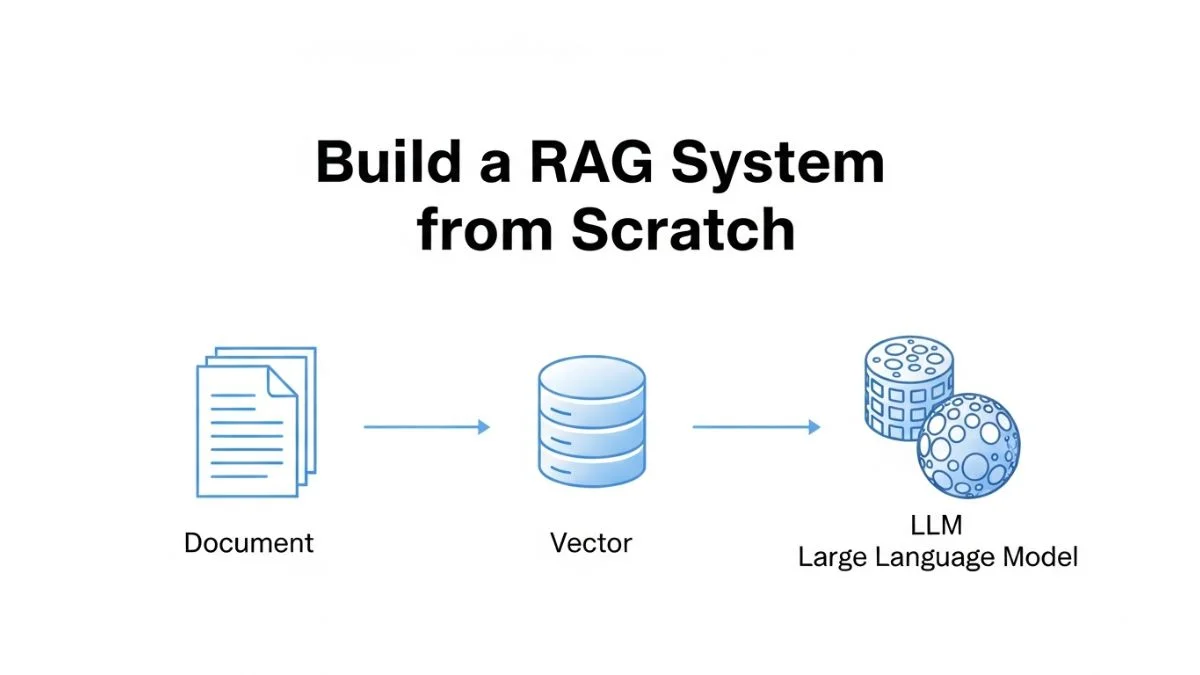
How to Build a RAG System from Scratch

How to Build a RAG System from Scratch
Retrieval-Augmented Generation solves the fundamental problem of language models generating plausible-sounding nonsense when asked about information they haven't seen. Instead of relying solely on the model's training data, RAG systems retrieve relevant documents from your knowledge base and include them in the prompt, grounding responses in actual facts. This transforms a general-purpose model into a system that can accurately answer questions about your specific documentation, policies, or data.
Building a RAG system from scratch reveals the design decisions that framework abstractions hide: how to chunk documents without fragmenting meaning, which embedding models balance quality versus speed, how many chunks to retrieve per query, and how to handle retrieval failures gracefully. Understanding these decisions matters because the default choices in tutorials often don't optimize for production requirements like cost control, latency targets, or accuracy thresholds.
This guide builds a production-capable RAG system step by step, from document ingestion through vector storage to query-time retrieval and response generation. We'll use Node.js with minimal dependencies to keep the implementation transparent.
Understanding RAG Architecture
A RAG system operates in two phases: indexing (preparing your documents) and retrieval (answering queries).
Indexing Phase:
- Load documents from your knowledge base
- Split documents into chunks small enough to fit in context windows
- Generate embeddings (vector representations) for each chunk
- Store embeddings in a vector database for efficient similarity search
Retrieval Phase:
- User submits a query
- Generate embedding for the query
- Search vector database for chunks most similar to query
- Construct prompt including retrieved chunks as context
- Send prompt to language model
- Return generated response to user
The quality of a RAG system depends on each step. Poor chunking fragments information across splits. Weak embeddings retrieve irrelevant documents. Too few retrieved chunks miss context. Too many chunks waste tokens and introduce noise. Each decision compounds.
Document Loading and Preprocessing
Start by loading documents into a uniform format. For this example, we'll process markdown documentation files:
import fs from 'fs/promises';
import path from 'path';

async function loadDocuments(directory) {
  const files = await fs.readdir(directory);
  const documents = [];

  for (const file of files) {
    if (!file.endsWith('.md')) continue;

    const filePath = path.join(directory, file);
    const content = await fs.readFile(filePath, 'utf-8');

    documents.push({
      id: file.replace('.md', ''),
      content: content,
      metadata: {
        source: file,
        type: 'documentation'
      }
    });
  }

  return documents;
}
The metadata fields enable filtering and citation later. When showing users where information came from, you need to track source documents.
Preprocessing cleans content before chunking. Remove boilerplate, normalize whitespace, and strip problematic characters:
function preprocessContent(content) {
  // Remove excessive whitespace
  content = content.replace(/\n{3,}/g, '\n\n');

  // Normalize quotes
  content = content.replace(/[""]/g, '"');
  content = content.replace(/['']/g, "'");

  // Remove zero-width characters
  content = content.replace(/[\u200B-\u200D\uFEFF]/g, '');

  return content.trim();
}
Implementing Document Chunking
Chunking divides documents into pieces small enough to fit in context windows while preserving semantic coherence. Naive splitting by character count breaks sentences mid-thought. Better approaches respect document structure.
A recursive chunking strategy that respects hierarchical boundaries:
class DocumentChunker {
  constructor(chunkSize = 1000, chunkOverlap = 200) {
    this.chunkSize = chunkSize;
    this.chunkOverlap = chunkOverlap;
    this.separators = ['\n\n', '\n', '. ', ' ', ''];
  }

  chunk(document) {
    const chunks = [];
    const content = preprocessContent(document.content);

    this.recursiveChunk(
      content,
      document.metadata,
      chunks,
      0
    );

    return chunks;
  }

  recursiveChunk(text, metadata, chunks, separatorIndex) {
    if (text.length <= this.chunkSize) {
      if (text.trim()) {
        chunks.push({
          content: text.trim(),
          metadata: { ...metadata, chunkIndex: chunks.length }
        });
      }
      return;
    }

    const separator = this.separators[separatorIndex];

    if (!separator) {
      // No separators left, force split
      chunks.push({
        content: text.substring(0, this.chunkSize),
        metadata: { ...metadata, chunkIndex: chunks.length }
      });

      this.recursiveChunk(
        text.substring(this.chunkSize - this.chunkOverlap),
        metadata,
        chunks,
        0
      );
      return;
    }

    const splits = text.split(separator);
    let currentChunk = '';

    for (const split of splits) {
      const testChunk = currentChunk
        ? currentChunk + separator + split
        : split;

      if (testChunk.length <= this.chunkSize) {
        currentChunk = testChunk;
      } else {
        if (currentChunk) {
          chunks.push({
            content: currentChunk.trim(),
            metadata: { ...metadata, chunkIndex: chunks.length }
          });
        }

        // Try smaller separator for oversized split
        if (split.length > this.chunkSize) {
          this.recursiveChunk(
            split,
            metadata,
            chunks,
            separatorIndex + 1
          );
          currentChunk = '';
        } else {
          currentChunk = split;
        }
      }
    }

    if (currentChunk.trim()) {
      chunks.push({
        content: currentChunk.trim(),
        metadata: { ...metadata, chunkIndex: chunks.length }
      });
    }
  }
}
This chunker tries splitting on paragraph boundaries first, then lines, then sentences, then words, finally forcing character splits if necessary. The overlap ensures information spanning chunk boundaries isn't lost—200 characters of overlap means chunks share context at their edges.
Chunk size trades off context versus precision. Larger chunks (1500-2000 characters) provide more context but retrieve less precisely—you might get the right document section but with irrelevant surrounding content. Smaller chunks (500-800 characters) retrieve precisely but lose surrounding context. Test with your specific documents to find the optimal size.
Generating Embeddings
Embeddings convert text into vectors (arrays of numbers) where semantically similar texts have similar vectors. This enables finding relevant chunks through vector similarity rather than exact keyword matching.
Using OpenAI's embedding model:
import OpenAI from 'openai';

class EmbeddingGenerator {
  constructor() {
    this.openai = new OpenAI({
      apiKey: process.env.OPENAI_API_KEY
    });
    this.model = 'text-embedding-3-small';
  }

  async generateEmbedding(text) {
    const response = await this.openai.embeddings.create({
      model: this.model,
      input: text
    });

    return response.data[0].embedding;
  }

  async generateBatch(texts, batchSize = 100) {
    const embeddings = [];

    for (let i = 0; i < texts.length; i += batchSize) {
      const batch = texts.slice(i, i + batchSize);

      const response = await this.openai.embeddings.create({
        model: this.model,
        input: batch
      });

      embeddings.push(...response.data.map(d => d.embedding));

      // Rate limiting
      if (i + batchSize < texts.length) {
        await new Promise(resolve => setTimeout(resolve, 200));
      }
    }

    return embeddings;
  }
}
Batch processing reduces API calls and costs. OpenAI's embedding endpoint accepts arrays of texts, returning embeddings for all inputs in one request. The rate limiting delay prevents hitting API limits during large batch processing.
OpenAI offers three embedding models with different tradeoffs:
- text-embedding-3-small: 1536 dimensions, $0.02 per million tokens, good quality
- text-embedding-3-large: 3072 dimensions, $0.13 per million tokens, best quality
- text-embedding-ada-002: 1536 dimensions, $0.10 per million tokens, legacy model
text-embedding-3-small provides the best value for most use cases. Use text-embedding-3-large only when testing shows meaningful quality improvements that justify the 6.5x cost increase.
Building a Vector Store
Vector stores enable efficient similarity search over embeddings. For production, use purpose-built databases like Pinecone, Weaviate, or Qdrant. For development and small-scale deployments, an in-memory implementation suffices:
class InMemoryVectorStore {
  constructor() {
    this.vectors = [];
    this.metadata = [];
  }

  async add(embeddings, chunks) {
    for (let i = 0; i < embeddings.length; i++) {
      this.vectors.push(embeddings[i]);
      this.metadata.push(chunks[i]);
    }
  }

  cosineSimilarity(a, b) {
    let dotProduct = 0;
    let magnitudeA = 0;
    let magnitudeB = 0;

    for (let i = 0; i < a.length; i++) {
      dotProduct += a[i] * b[i];
      magnitudeA += a[i] * a[i];
      magnitudeB += b[i] * b[i];
    }

    return dotProduct / (Math.sqrt(magnitudeA) * Math.sqrt(magnitudeB));
  }

  async search(queryEmbedding, topK = 5) {
    const similarities = this.vectors.map((vector, index) => ({
      similarity: this.cosineSimilarity(queryEmbedding, vector),
      chunk: this.metadata[index],
      index
    }));

    similarities.sort((a, b) => b.similarity - a.similarity);

    return similarities.slice(0, topK).map(result => ({
      content: result.chunk.content,
      metadata: result.chunk.metadata,
      score: result.similarity
    }));
  }

  async save(filePath) {
    const data = {
      vectors: this.vectors,
      metadata: this.metadata
    };

    await fs.writeFile(filePath, JSON.stringify(data));
  }

  async load(filePath) {
    const data = JSON.parse(await fs.readFile(filePath, 'utf-8'));
    this.vectors = data.vectors;
    this.metadata = data.metadata;
  }
}
Cosine similarity measures how similar two vectors are by calculating the cosine of the angle between them. Values range from -1 (opposite) to 1 (identical). In practice, embedding similarities typically range from 0.3-0.9 for your knowledge base.
For production with thousands of documents, this linear search becomes too slow. Use specialized vector databases that implement approximate nearest neighbor algorithms (HNSW, IVF) for sub-millisecond search over millions of vectors.
Integrating Vector Search with LLM
Combine retrieval with generation to create the complete RAG pipeline:
class RAGSystem {
  constructor(vectorStore, embeddingGenerator) {
    this.vectorStore = vectorStore;
    this.embeddingGenerator = embeddingGenerator;
    this.openai = new OpenAI({
      apiKey: process.env.OPENAI_API_KEY
    });
  }

  async query(question, topK = 3, model = 'gpt-3.5-turbo') {
    // Generate query embedding
    const queryEmbedding = await this.embeddingGenerator
      .generateEmbedding(question);

    // Retrieve relevant chunks
    const results = await this.vectorStore.search(queryEmbedding, topK);

    // Build context from retrieved chunks
    const context = results
      .map((r, i) => `[${i + 1}] ${r.content}`)
      .join('\n\n');

    // Construct prompt
    const messages = [
      {
        role: 'system',
        content: `Answer the question based on the following context.
        If the context doesn't contain relevant information, say so.
        Include source numbers [1], [2], etc. in your answer.`
      },
      {
        role: 'user',
        content: `Context:\n${context}\n\nQuestion: ${question}`
      }
    ];

    // Generate response
    const completion = await this.openai.chat.completions.create({
      model,
      messages,
      temperature: 0.1, // Low temperature for factual responses
      max_tokens: 500
    });

    return {
      answer: completion.choices[0].message.content,
      sources: results.map(r => ({
        content: r.content.substring(0, 200) + '...',
        metadata: r.metadata,
        score: r.score
      })),
      usage: completion.usage
    };
  }
}
The system message instructs the model to cite sources using the numbered format we provided in the context. This enables users to verify information by checking the source chunks.
Temperature of 0.1 reduces creativity in favor of factual adherence. For RAG systems, you want the model to stick closely to provided context rather than generating plausible-sounding elaborations.
Putting It All Together: Complete Pipeline
The end-to-end workflow from documents to production RAG system:
async function buildRAGSystem(documentsDir, indexPath) {
  console.log('Loading documents...');
  const documents = await loadDocuments(documentsDir);
  console.log(`Loaded ${documents.length} documents`);

  console.log('Chunking documents...');
  const chunker = new DocumentChunker(1000, 200);
  const allChunks = [];

  for (const doc of documents) {
    const chunks = chunker.chunk(doc);
    allChunks.push(...chunks);
  }
  console.log(`Created ${allChunks.length} chunks`);

  console.log('Generating embeddings...');
  const embeddingGen = new EmbeddingGenerator();
  const embeddings = await embeddingGen.generateBatch(
    allChunks.map(c => c.content)
  );
  console.log(`Generated ${embeddings.length} embeddings`);

  console.log('Building vector store...');
  const vectorStore = new InMemoryVectorStore();
  await vectorStore.add(embeddings, allChunks);

  console.log('Saving index...');
  await vectorStore.save(indexPath);

  console.log('RAG system ready!');
  return new RAGSystem(vectorStore, embeddingGen);
}

// Usage
const rag = await buildRAGSystem('./docs', './index.json');

const result = await rag.query('How do I reset my password?');
console.log('Answer:', result.answer);
console.log('Sources:', result.sources);
Optimizing Retrieval Quality
Default parameters don't optimize for your specific documents and queries. Improve retrieval through systematic testing and tuning.
Hybrid Search: Combining Semantic and Keyword Matching
Pure semantic search sometimes misses chunks with exact keyword matches. Hybrid search combines both approaches:
class HybridVectorStore extends InMemoryVectorStore {
  async search(queryEmbedding, query, topK = 5, alpha = 0.5) {
    // Semantic search
    const semanticResults = await super.search(queryEmbedding, topK * 2);

    // Keyword search (BM25-like scoring)
    const keywordResults = this.keywordSearch(query, topK * 2);

    // Combine scores
    const combined = new Map();

    for (const result of semanticResults) {
      const key = result.metadata.chunkIndex;
      combined.set(key, {
        ...result,
        finalScore: result.score * alpha
      });
    }

    for (const result of keywordResults) {
      const key = result.metadata.chunkIndex;
      if (combined.has(key)) {
        combined.get(key).finalScore += result.score * (1 - alpha);
      } else {
        combined.set(key, {
          ...result,
          finalScore: result.score * (1 - alpha)
        });
      }
    }

    return Array.from(combined.values())
      .sort((a, b) => b.finalScore - a.finalScore)
      .slice(0, topK);
  }

  keywordSearch(query, topK) {
    const queryTerms = query.toLowerCase().split(/\s+/);
    const scores = this.metadata.map((chunk, index) => {
      const content = chunk.content.toLowerCase();
      let score = 0;

      for (const term of queryTerms) {
        const count = (content.match(new RegExp(term, 'g')) || []).length;
        score += count;
      }

      return { chunk, index, score: score / queryTerms.length };
    });

    return scores
      .filter(s => s.score > 0)
      .sort((a, b) => b.score - a.score)
      .slice(0, topK)
      .map(s => ({
        content: s.chunk.content,
        metadata: s.chunk.metadata,
        score: s.score
      }));
  }
}
The alpha parameter balances semantic versus keyword matching. alpha=0.7 weights semantic search more heavily, alpha=0.3 favors keyword matching. Test with your query patterns to find optimal weighting.
Query Expansion and Reformulation
Improve retrieval by expanding queries with synonyms or related terms:
async function expandQuery(originalQuery, llm) {
  const expansion = await llm.chat.completions.create({
    model: 'gpt-3.5-turbo',
    messages: [{
      role: 'user',
      content: `Generate 2-3 alternative phrasings of this question:
      "${originalQuery}"

      Format: one alternative per line.`
    }],
    max_tokens: 100,
    temperature: 0.3
  });

  const alternatives = expansion.choices[0].message.content
    .split('\n')
    .filter(line => line.trim());

  return [originalQuery, ...alternatives];
}

// Modified query method
async queryWithExpansion(question) {
  const queries = await expandQuery(question, this.openai);
  const allResults = [];

  for (const query of queries) {
    const embedding = await this.embeddingGenerator
      .generateEmbedding(query);
    const results = await this.vectorStore.search(embedding, 2);
    allResults.push(...results);
  }

  // Deduplicate and rank
  const uniqueResults = this.deduplicateResults(allResults);
  const topResults = uniqueResults.slice(0, 3);

  // Continue with normal RAG flow...
}
This adds an extra LLM call per query, increasing costs by ~$0.0002 but potentially improving retrieval quality when queries use different terminology than your documents.
Handling Edge Cases and Failures
Production RAG systems face several failure modes that testing reveals:
No Relevant Results
async query(question, topK = 3, similarityThreshold = 0.5) {
  const results = await this.vectorStore.search(queryEmbedding, topK);

  // Check if results are actually relevant
  const relevantResults = results.filter(
    r => r.score >= similarityThreshold
  );

  if (relevantResults.length === 0) {
    return {
      answer: 'I could not find relevant information to answer your question.',
      sources: [],
      confidence: 'none'
    };
  }

  // Continue with normal flow using relevantResults...
}
Contradictory Information in Retrieved Chunks
const messages = [
  {
    role: 'system',
    content: `Answer based on the context below. If the context contains
    contradictory information, acknowledge the contradiction and explain
    both perspectives. If you cannot provide a definitive answer, say so.`
  },
  {
    role: 'user',
    content: `Context:\n${context}\n\nQuestion: ${question}`
  }
];
Very Long Context
async query(question, topK = 3) {
  let results = await this.vectorStore.search(queryEmbedding, topK);

  // Estimate tokens
  const contextTokens = results.reduce(
    (sum, r) => sum + r.content.length / 4,
    0
  );

  // If context too long, reduce retrieved chunks
  if (contextTokens > 2000) {
    results = results.slice(0, Math.ceil(topK / 2));
  }

  // Continue with adjusted results...
}
Scaling to Production
Moving from prototype to production requires addressing performance, reliability, and cost:
Caching Frequent Queries
class CachedRAGSystem extends RAGSystem {
  constructor(vectorStore, embeddingGenerator) {
    super(vectorStore, embeddingGenerator);
    this.cache = new Map();
    this.maxCacheSize = 1000;
  }

  getCacheKey(question) {
    return question.toLowerCase().trim();
  }

  async query(question, options) {
    const cacheKey = this.getCacheKey(question);

    if (this.cache.has(cacheKey)) {
      return { ...this.cache.get(cacheKey), cached: true };
    }

    const result = await super.query(question, options);

    // Add to cache
    if (this.cache.size >= this.maxCacheSize) {
      const firstKey = this.cache.keys().next().value;
      this.cache.delete(firstKey);
    }

    this.cache.set(cacheKey, result);
    return { ...result, cached: false };
  }
}
Asynchronous Indexing
class IncrementalRAG extends RAGSystem {
  async addDocument(document) {
    const chunks = this.chunker.chunk(document);
    const embeddings = await this.embeddingGenerator.generateBatch(
      chunks.map(c => c.content)
    );

    await this.vectorStore.add(embeddings, chunks);

    // Persist updated index
    await this.vectorStore.save(this.indexPath);
  }

  async updateDocument(documentId) {
    // Remove old chunks
    this.vectorStore.removeByMetadata({ documentId });

    // Re-index document
    const document = await loadDocument(documentId);
    await this.addDocument(document);
  }
}
Frequently Asked Questions
What's the optimal chunk size for RAG systems?
It depends on document structure and query patterns. Start with 1000 characters and test retrieval quality. Technical documentation often works better with smaller chunks (500-800 characters) for precise retrieval. Narrative content (articles, guides) benefits from larger chunks (1200-1500 characters) for coherent context. Monitor whether answers lack sufficient context (increase chunk size) or include irrelevant information (decrease chunk size).
How many chunks should I retrieve per query?
Start with 3-5 chunks. Fewer chunks risk missing relevant context. More chunks increase token costs and can introduce noise that confuses the model. Test with typical queries and measure whether increasing retrieval count improves answer quality. If the best answer consistently appears in chunks 1-3, you're retrieving enough. If relevant information frequently appears in lower-ranked chunks, increase the count.
Should I use OpenAI embeddings or open-source alternatives?
OpenAI's text-embedding-3-small provides excellent quality at low cost ($0.02 per million tokens). Open-source alternatives like sentence-transformers require self-hosting but eliminate per-request costs. The break-even point is around 10-20 million tokens embedded. Below this threshold, OpenAI is cheaper when including infrastructure costs. Above it, self-hosted models reduce ongoing costs but require GPU infrastructure and engineering time.
How do I handle documents that get updated frequently?
Implement incremental indexing where you re-embed and replace chunks for updated documents without rebuilding the entire index. Track document versions in metadata. When a document updates, remove its old chunks from the vector store, re-chunk the new version, generate embeddings, and add the new chunks. For very frequent updates (multiple times daily), consider whether RAG is the right architecture—sometimes direct database queries work better than semantic search.
Can RAG work with multimodal content like images and tables?
Yes, but it requires specialized handling. Extract text from images using OCR, convert tables to structured text or markdown, and embed the extracted content. For images with important visual information, use multimodal embedding models that embed images directly (like OpenAI's CLIP) or describe images with captions before embedding. Tables work better when converted to natural language descriptions rather than raw markdown.
How do I prevent the system from hallucinating information not in the documents?
Use low temperature (0.0-0.2) for factual adherence. Explicitly instruct the model in the system prompt to only use provided context. Ask the model to cite sources using the numbered reference format. Implement similarity threshold filtering to reject queries where retrieval quality is low. Consider adding a verification step where you check whether the generated answer's key facts appear in the retrieved chunks.
What vector database should I use for production?
For managed solutions: Pinecone offers simplicity and good performance, Weaviate provides more features and self-hosting options, Qdrant offers strong performance with good open-source support. For self-hosted: Qdrant and Weaviate work well. For small-scale (under 100K chunks), PostgreSQL with pgvector extension handles RAG workloads adequately. Choose based on scale requirements, budget, and whether you need managed infrastructure.
How accurate are RAG systems compared to fine-tuned models?
RAG systems excel at questions requiring specific factual information from your documents. Fine-tuned models excel at learning patterns and tone but struggle with precise facts they haven't memorized. For knowledge bases, documentation, and fact-heavy domains, RAG typically outperforms fine-tuning while being cheaper and easier to update. For creative tasks or learning specific response styles, fine-tuning works better. Many production systems combine both approaches.
Conclusion
Building a RAG system from scratch requires understanding document chunking strategies that preserve semantic coherence, embedding generation that balances cost versus quality, vector search implementation that handles scale efficiently, and prompt engineering that grounds model outputs in retrieved context. The core pipeline—chunk documents, embed chunks, store in vector database, retrieve similar chunks at query time, augment prompts with retrieved context—remains consistent across implementations, but production systems require additional layers: similarity threshold filtering to prevent low-quality retrieval, caching for frequent queries, incremental indexing for document updates, and monitoring to track retrieval quality over time.
Start with simple implementations using in-memory vector stores and default parameters. Measure retrieval quality with real queries from your users. Optimize chunk size, retrieval count, and similarity thresholds based on observed performance. Migrate to production vector databases only when scale requires it. The best RAG system for your use case emerges through testing with your specific documents and query patterns, not from copying default configurations.