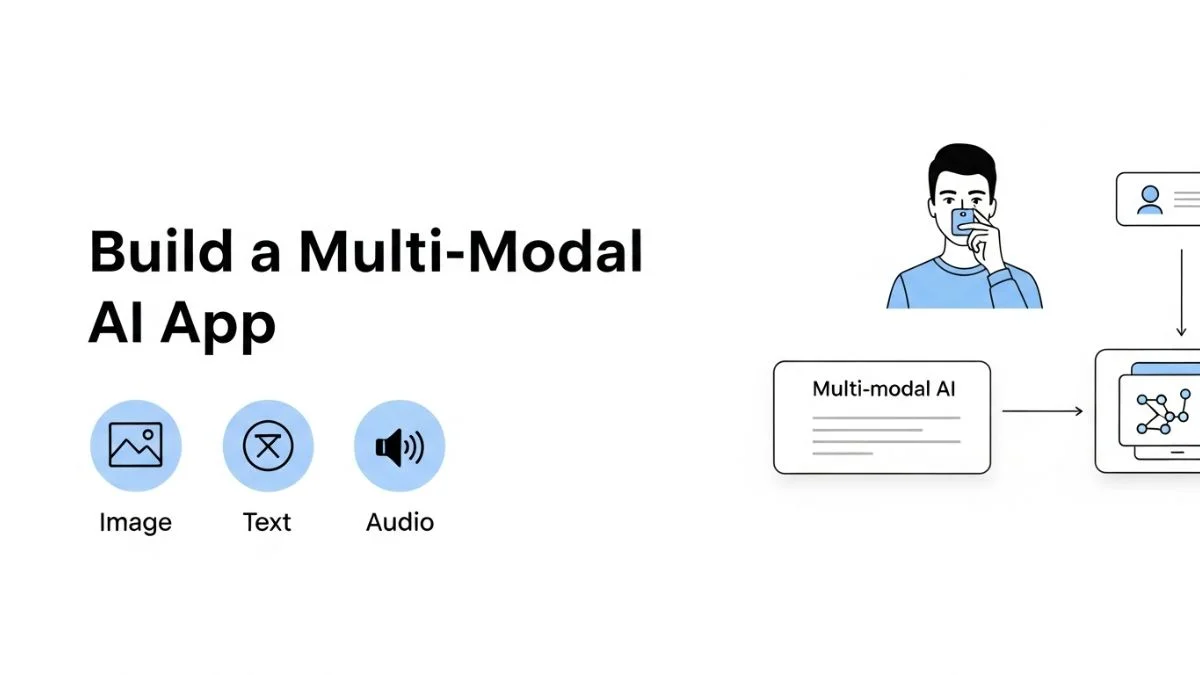
How to Build a Multi-Modal AI App

How to Build a Multi-Modal AI App
Multi-modal AI applications process multiple input types—text, images, audio, video—in a single interaction flow. A user uploads a product image, asks a question about it, and receives a text response analyzing the visual content. Or they submit an audio recording, which gets transcribed, analyzed for sentiment, and summarized. These capabilities require coordinating different AI models, managing diverse data formats, and handling the complexity that emerges when you combine modalities that traditional applications process separately.
This guide covers building production multi-modal AI applications from architecture to deployment. You'll learn how to integrate vision and language models effectively, handle audio processing pipelines, manage the increased latency and costs that multi-modal processing introduces, and structure your application to maintain reliability when one modality fails. The patterns here come from building applications that process millions of multi-modal requests monthly, where the interactions between different AI capabilities create both opportunities and failure modes that don't exist in single-modality systems.
We'll explore model selection for different modalities, data preprocessing pipelines, cross-modal reasoning architectures, cost optimization strategies, and the specific edge cases that only emerge when combining vision, language, and audio processing.
Understanding Multi-Modal AI Capabilities
Multi-modal AI isn't just running separate models on different input types. The value comes from models that understand relationships across modalities—describing what's in an image, answering questions about video content, or generating images from text descriptions. Current multi-modal capabilities cluster around three primary patterns: vision-language models, audio-language models, and generative models that produce outputs in different modalities from text prompts.
Vision-Language Models
Vision-language models like GPT-4 Vision, Claude 3, and Gemini process both images and text in the same context. You can send an image of a chart and ask "What's the trend in Q3?" or upload a product photo and request "Describe this for a blind user." The model analyzes visual content and generates text responses that demonstrate understanding of both modalities.
These models handle tasks that previously required separate computer vision models plus language models: image captioning, visual question answering, document analysis, UI screenshot understanding, and diagram interpretation. The integrated approach simplifies application architecture—one API call instead of orchestrating multiple specialized models.
Audio Processing Models
Audio models like Whisper for transcription and emerging models for audio understanding convert speech to text, detect emotions from tone, or analyze audio characteristics. Most multi-modal audio applications use a pipeline approach: transcribe audio to text with Whisper, then process the transcript with a language model for summarization, analysis, or response generation.
True audio-native models that understand meaning directly from audio without text transcription are emerging but not yet widely deployed in production applications. The dominant pattern remains: audio → transcription → text processing → output.
Generative Multi-Modal Models
Models like DALL-E, Midjourney, and Stable Diffusion generate images from text prompts. Eleven Labs and similar services generate speech from text. These generative models enable applications to produce rich media outputs from text descriptions, closing the loop between language and other modalities.
Multi-modal applications often chain these capabilities: user uploads image → vision model analyzes → text description → generative model creates variations → new images returned. Each step introduces latency, cost, and potential failure points that single-modality applications avoid.
Architecture Patterns for Multi-Modal Applications
Sequential Pipeline Pattern
The sequential pipeline processes modalities in order: convert audio to text, analyze image to extract features, then combine all text inputs for final processing. This pattern is simple to implement and reason about, but it accumulates latency at each step.
async function processMultiModalRequest(
  imageUrl?: string,
  audioUrl?: string,
  textQuery?: string
): Promise {
  let context = "";

  // Step 1: Process image if provided
  if (imageUrl) {
    const imageAnalysis = await analyzeImage(imageUrl);
    context += `Image content: ${imageAnalysis}\n\n`;
  }

  // Step 2: Process audio if provided
  if (audioUrl) {
    const transcript = await transcribeAudio(audioUrl);
    context += `Audio transcript: ${transcript}\n\n`;
  }

  // Step 3: Combine with text query
  const fullPrompt = context + (textQuery || "Summarize the above content");

  // Step 4: Generate response
  const response = await llm.complete({
    model: "gpt-4-turbo",
    messages: [{ role: "user", content: fullPrompt }]
  });

  return {
    analysis: response.content,
    processingSteps: {
      imageProcessed: !!imageUrl,
      audioProcessed: !!audioUrl,
      textProcessed: !!textQuery
    }
  };
}

async function analyzeImage(imageUrl: string): Promise {
  const response = await openai.chat.completions.create({
    model: "gpt-4-vision-preview",
    messages: [{
      role: "user",
      content: [
        { type: "text", text: "Describe this image in detail." },
        { type: "image_url", image_url: { url: imageUrl } }
      ]
    }],
    max_tokens: 500
  });

  return response.choices[0].message.content;
}

async function transcribeAudio(audioUrl: string): Promise {
  const audioFile = await downloadFile(audioUrl);

  const transcript = await openai.audio.transcriptions.create({
    file: audioFile,
    model: "whisper-1",
    language: "en" // Specify if known for better accuracy
  });

  return transcript.text;
}
This pipeline works well when latency isn't critical and each step depends on previous results. For real-time applications, the accumulated latency (image analysis 2-3s + audio transcription 1-2s + final completion 2-3s = 5-8s total) creates poor user experience.
Parallel Processing Pattern
Process independent modalities in parallel to reduce total latency. Image analysis and audio transcription can run simultaneously since they don't depend on each other. Combine results once all parallel operations complete.
async function processMultiModalParallel(
  imageUrl?: string,
  audioUrl?: string,
  textQuery?: string
): Promise {
  // Start all independent operations in parallel
  const operations = [];

  if (imageUrl) {
    operations.push(
      analyzeImage(imageUrl).then(analysis => ({
        type: "image",
        content: `Image content: ${analysis}`
      }))
    );
  }

  if (audioUrl) {
    operations.push(
      transcribeAudio(audioUrl).then(transcript => ({
        type: "audio",
        content: `Audio transcript: ${transcript}`
      }))
    );
  }

  // Wait for all modality processing to complete
  const results = await Promise.all(operations);

  // Combine results with text query
  const context = results.map(r => r.content).join("\n\n");
  const fullPrompt = context + "\n\n" + (textQuery || "Summarize the above content");

  // Generate final response
  const response = await llm.complete({
    model: "gpt-4-turbo",
    messages: [{ role: "user", content: fullPrompt }]
  });

  return {
    analysis: response.content,
    processingTime: results.map(r => r.time),
    totalLatency: Math.max(...results.map(r => r.time)) // Parallel reduces total time
  };
}
Parallel processing typically reduces latency by 40-60% compared to sequential processing when you have multiple independent modalities. The total time becomes the longest single operation rather than the sum of all operations.
Native Multi-Modal Pattern
Use models that natively support multiple modalities in a single API call. GPT-4 Vision and Claude 3 accept images and text together, processing them jointly rather than requiring separate steps.
async function nativeMultiModal(
  imageUrl: string,
  textQuery: string
): Promise {
  // Single API call handles both modalities
  const response = await openai.chat.completions.create({
    model: "gpt-4-vision-preview",
    messages: [{
      role: "user",
      content: [
        { type: "text", text: textQuery },
        { type: "image_url", image_url: { url: imageUrl } }
      ]
    }],
    max_tokens: 1000
  });

  return {
    analysis: response.choices[0].message.content,
    approach: "native_multimodal"
  };
}

// For multiple images
async function analyzeMultipleImages(
  images: string[],
  query: string
): Promise {
  const content = [
    { type: "text", text: query },
    ...images.map(url => ({
      type: "image_url",
      image_url: { url }
    }))
  ];

  const response = await openai.chat.completions.create({
    model: "gpt-4-vision-preview",
    messages: [{ role: "user", content }],
    max_tokens: 1500
  });

  return response.choices[0].message.content;
}
Native multi-modal processing is simpler and often more accurate because the model sees all modalities in their original form rather than through intermediate text descriptions. However, it's typically more expensive and limited to specific model combinations (not all models support all modality combinations).
Handling Images in Multi-Modal Applications
Image Preprocessing
Vision models have size and format requirements. Images too large waste tokens and increase cost. Images too small lose critical details. Implement preprocessing that resizes images to optimal dimensions, converts formats, and compresses appropriately before sending to vision models.
import sharp from "sharp";

async function preprocessImage(
  imageBuffer: Buffer,
  maxDimension: number = 2048
): Promise<{ buffer: Buffer; metadata: ImageMetadata }> {
  const image = sharp(imageBuffer);
  const metadata = await image.metadata();

  // Determine if resize needed
  const needsResize =
    metadata.width > maxDimension || metadata.height > maxDimension;

  let processed = image;

  if (needsResize) {
    // Resize maintaining aspect ratio
    processed = image.resize(maxDimension, maxDimension, {
      fit: "inside",
      withoutEnlargement: true
    });
  }

  // Convert to efficient format
  const output = await processed
    .jpeg({ quality: 85, mozjpeg: true })
    .toBuffer();

  const outputMetadata = await sharp(output).metadata();

  return {
    buffer: output,
    metadata: {
      originalWidth: metadata.width,
      originalHeight: metadata.height,
      processedWidth: outputMetadata.width,
      processedHeight: outputMetadata.height,
      originalSize: imageBuffer.length,
      processedSize: output.length,
      compressionRatio: imageBuffer.length / output.length
    }
  };
}

// Usage
const { buffer, metadata } = await preprocessImage(uploadedImage);
console.log(`Reduced size by ${((1 - 1/metadata.compressionRatio) * 100).toFixed(1)}%`);

const imageUrl = await uploadToStorage(buffer);
const analysis = await analyzeImage(imageUrl);
Preprocessing reduces costs (smaller images use fewer tokens) and improves latency (faster upload and processing). For GPT-4 Vision, images are charged based on size—a 2048x2048 image costs more than a 512x512 image. Optimize dimensions for your use case.
Image Detail Levels
GPT-4 Vision supports "low" and "high" detail modes. Low detail is faster and cheaper but may miss fine details. High detail provides better accuracy for complex images like charts, diagrams, or dense text, but costs more. Choose based on your requirements.
// Low detail - good for general scene understanding
const simpleAnalysis = await openai.chat.completions.create({
  model: "gpt-4-vision-preview",
  messages: [{
    role: "user",
    content: [
      { type: "text", text: "What's in this image?" },
      {
        type: "image_url",
        image_url: {
          url: imageUrl,
          detail: "low" // Faster, cheaper
        }
      }
    ]
  }]
});

// High detail - for charts, text, detailed analysis
const detailedAnalysis = await openai.chat.completions.create({
  model: "gpt-4-vision-preview",
  messages: [{
    role: "user",
    content: [
      { type: "text", text: "Extract all text and data from this chart" },
      {
        type: "image_url",
        image_url: {
          url: imageUrl,
          detail: "high" // More accurate for complex images
        }
      }
    ]
  }]
});| Use Case | Recommended Detail Level | Rationale |
|---|---|---|
| Scene description, object detection | Low | General understanding doesn't need fine details |
| Chart/graph analysis | High | Need to read labels, values, legend |
| Document/text extraction | High | OCR-like tasks require high resolution |
| UI/screenshot analysis | High | Small UI elements need detail preservation |
| Product photos (e-commerce) | Low to Medium | Depends on whether fine details matter |
Audio Processing in Multi-Modal Apps
Transcription Pipeline
Audio processing starts with transcription. Whisper provides high-quality speech-to-text with support for multiple languages, timestamps, and speaker detection (with additional processing). The transcription becomes the text modality that other models can process.
import fs from "fs";
import OpenAI from "openai";

async function transcribeWithTimestamps(
  audioFile: File
): Promise {
  const openai = new OpenAI();

  // Get detailed transcription with timestamps
  const transcription = await openai.audio.transcriptions.create({
    file: audioFile,
    model: "whisper-1",
    response_format: "verbose_json",
    timestamp_granularities: ["word", "segment"]
  });

  return {
    fullText: transcription.text,
    segments: transcription.segments.map(seg => ({
      text: seg.text,
      start: seg.start,
      end: seg.end,
      confidence: seg.confidence
    })),
    language: transcription.language,
    duration: transcription.duration
  };
}

// Process audio for multi-modal analysis
async function processAudioForAnalysis(audioUrl: string): Promise {
  // Download audio file
  const audioBuffer = await downloadFile(audioUrl);

  // Save temporarily for Whisper API
  const tempFile = `/tmp/${Date.now()}.mp3`;
  fs.writeFileSync(tempFile, audioBuffer);

  // Transcribe
  const transcription = await transcribeWithTimestamps(
    fs.createReadStream(tempFile)
  );

  // Analyze transcript with LLM
  const analysis = await llm.complete({
    model: "gpt-4-turbo",
    messages: [{
      role: "user",
      content: `Analyze this audio transcript:

${transcription.fullText}

Provide:
1. Summary
2. Key points
3. Sentiment
4. Action items (if any)`
    }]
  });

  // Cleanup
  fs.unlinkSync(tempFile);

  return {
    transcript: transcription.fullText,
    analysis: analysis.content,
    metadata: {
      language: transcription.language,
      duration: transcription.duration
    }
  };
}
For applications requiring real-time transcription or processing very long audio files, consider streaming transcription APIs or chunking audio into smaller segments. Whisper's API has file size limits (typically 25MB), so long recordings need preprocessing.
Audio Format Handling
Audio comes in many formats (MP3, WAV, M4A, FLAC) with different codecs and sample rates. Standardize on a supported format before sending to transcription APIs. FFmpeg provides robust audio conversion capabilities.
import ffmpeg from "fluent-ffmpeg";
import { promisify } from "util";

async function convertAudioFormat(
  inputPath: string,
  outputFormat: string = "mp3"
): Promise {
  const outputPath = `${inputPath}.${outputFormat}`;

  return new Promise((resolve, reject) => {
    ffmpeg(inputPath)
      .toFormat(outputFormat)
      .audioCodec("libmp3lame")
      .audioBitrate("128k")
      .on("end", () => resolve(outputPath))
      .on("error", reject)
      .save(outputPath);
  });
}

async function preprocessAudio(uploadedFile: Buffer): Promise {
  const tempInput = `/tmp/input-${Date.now()}`;
  fs.writeFileSync(tempInput, uploadedFile);

  // Convert to MP3 if needed
  const mp3Path = await convertAudioFormat(tempInput, "mp3");

  // Get audio metadata
  const metadata = await getAudioMetadata(mp3Path);

  // Chunk if too long (over 10 minutes)
  if (metadata.duration > 600) {
    const chunks = await splitAudio(mp3Path, 300); // 5-minute chunks
    return { chunks, metadata };
  }

  return {
    file: mp3Path,
    metadata
  };
}

async function getAudioMetadata(filePath: string): Promise {
  return new Promise((resolve, reject) => {
    ffmpeg.ffprobe(filePath, (err, metadata) => {
      if (err) reject(err);
      resolve({
        duration: metadata.format.duration,
        bitrate: metadata.format.bit_rate,
        sampleRate: metadata.streams[0].sample_rate,
        channels: metadata.streams[0].channels
      });
    });
  });
} Cost Management for Multi-Modal Applications
Multi-modal applications cost more than text-only applications because you're paying for vision models, audio transcription, and typically more tokens per interaction. A single multi-modal request might cost 10-50x more than a simple text completion. Effective cost management requires understanding where costs accumulate and optimizing high-impact areas.
Cost Attribution by Modality
class MultiModalCostTracker {
  async trackRequest(request: MultiModalRequest): Promise {
    const costs = {
      imageProcessing: 0,
      audioProcessing: 0,
      textCompletion: 0,
      storage: 0,
      total: 0
    };

    // Image processing costs
    if (request.images) {
      for (const image of request.images) {
        const imageTokens = this.estimateImageTokens(
          image.width,
          image.height,
          image.detail
        );
        costs.imageProcessing += this.calculateImageCost(imageTokens);
      }
    }

    // Audio transcription costs
    if (request.audio) {
      const durationMinutes = request.audio.duration / 60;
      costs.audioProcessing = durationMinutes * 0.006; // Whisper pricing
    }

    // Text completion costs
    costs.textCompletion = this.calculateTextCost(
      request.inputTokens,
      request.outputTokens,
      request.model
    );

    // Storage costs for uploaded media
    costs.storage = this.calculateStorageCost(
      request.totalMediaSize,
      request.storageDuration
    );

    costs.total = Object.values(costs).reduce((a, b) => a + b, 0);

    await this.logCosts(request.id, costs);

    return costs;
  }

  private estimateImageTokens(
    width: number,
    height: number,
    detail: "low" | "high"
  ): number {
    if (detail === "low") {
      return 85; // Fixed cost for low detail
    }

    // High detail: 170 base + tiles
    const tiles = Math.ceil(width / 512) * Math.ceil(height / 512);
    return 170 + (tiles * 170);
  }

  private calculateImageCost(tokens: number): number {
    // GPT-4 Vision token pricing
    return (tokens / 1000) * 0.01; // Input token price
  }
}
Track costs per modality to identify optimization opportunities. If 80% of your costs come from image processing, focus optimization there. If audio transcription dominates, consider caching transcripts or using cheaper transcription services for lower-accuracy needs.
Optimization Strategies
| Modality | Cost Optimization | Impact |
|---|---|---|
| Images | Resize to minimum effective resolution, use low detail when possible | 50-70% reduction |
| Audio | Cache transcripts, compress audio before transcription | 30-40% reduction |
| Text | Use cheaper models when quality allows, cache responses | 40-60% reduction |
| Storage | Delete processed media after 24 hours, use lifecycle policies | 80-90% reduction |
Error Handling and Graceful Degradation
Multi-modal applications have more failure modes than single-modality apps. Image upload might fail, audio transcription might timeout, vision model might be unavailable. Design for partial success—if image processing fails but text processing succeeds, return results based on available modalities rather than failing completely.
async function robustMultiModalProcessing(
  request: MultiModalRequest
): Promise {
  const results = {
    text: null,
    image: null,
    audio: null,
    errors: []
  };

  // Process each modality with individual error handling
  if (request.textQuery) {
    try {
      results.text = await processText(request.textQuery);
    } catch (error) {
      results.errors.push({
        modality: "text",
        error: error.message
      });
    }
  }

  if (request.imageUrl) {
    try {
      results.image = await analyzeImage(request.imageUrl);
    } catch (error) {
      results.errors.push({
        modality: "image",
        error: error.message
      });
      // Continue processing other modalities
    }
  }

  if (request.audioUrl) {
    try {
      results.audio = await transcribeAudio(request.audioUrl);
    } catch (error) {
      results.errors.push({
        modality: "audio",
        error: error.message
      });
    }
  }

  // Combine successful results
  const availableModalities = [
    results.text,
    results.image,
    results.audio
  ].filter(Boolean);

  if (availableModalities.length === 0) {
    throw new Error("All modality processing failed");
  }

  // Generate response from available data
  const response = await generateResponse(results);

  return {
    ...response,
    processedModalities: availableModalities.length,
    errors: results.errors,
    partialSuccess: results.errors.length > 0
  };
}
This graceful degradation provides value even when some modalities fail. Users get partial results immediately rather than complete failure, improving perceived reliability.
Production Considerations
Media Storage and Lifecycle
Multi-modal applications generate significant media storage costs. Users upload images and audio that must be stored temporarily for processing. Implement lifecycle policies that automatically delete media after processing completes or after a retention period.
// S3 lifecycle policy for temporary media
const lifecyclePolicy = {
  Rules: [{
    Id: "DeleteProcessedMedia",
    Status: "Enabled",
    Prefix: "uploads/",
    Expiration: {
      Days: 1 // Delete after 24 hours
    }
  }, {
    Id: "TransitionToGlacier",
    Status: "Enabled",
    Prefix: "archive/",
    Transitions: [{
      Days: 30,
      StorageClass: "GLACIER"
    }]
  }]
};

// Tag uploads with metadata for tracking
async function uploadMediaWithMetadata(
  file: Buffer,
  metadata: MediaMetadata
): Promise {
  const key = `uploads/${Date.now()}-${metadata.userId}`;

  await s3.putObject({
    Bucket: MEDIA_BUCKET,
    Key: key,
    Body: file,
    Metadata: {
      userId: metadata.userId,
      uploadedAt: Date.now().toString(),
      processed: "false"
    },
    Tagging: `retention=temporary&user=${metadata.userId}`
  });

  return key;
}
Rate Limiting Per Modality
Different modalities have different resource costs. Implement separate rate limits for each modality to prevent abuse of expensive operations.
class MultiModalRateLimiter {
  private limits = {
    text: { requests: 100, window: 60 }, // 100 per minute
    image: { requests: 20, window: 60 }, // 20 per minute
    audio: { requests: 10, window: 60 }  // 10 per minute
  };

  async checkLimit(
    userId: string,
    modality: "text" | "image" | "audio"
  ): Promise {
    const limit = this.limits[modality];
    const key = `ratelimit:${userId}:${modality}`;

    const current = await redis.incr(key);

    if (current === 1) {
      await redis.expire(key, limit.window);
    }

    if (current > limit.requests) {
      throw new RateLimitError(
        `${modality} rate limit exceeded: ${limit.requests} per ${limit.window}s`
      );
    }

    return true;
  }
}
FAQ
When should I use vision-language models versus separate vision and language models?
Use native vision-language models (GPT-4 Vision, Claude 3) when you need the model to reason about the relationship between image content and text queries. Use separate models when you only need specific vision tasks (object detection, OCR) followed by independent text processing. Native models are simpler but more expensive, so optimize for your specific use case and budget constraints.
How do I handle large image files efficiently?
Resize images to the minimum effective resolution before processing. For GPT-4 Vision, images over 2048x2048 provide minimal quality improvement but cost significantly more. Compress images to reduce storage and transfer costs. Implement client-side resizing when possible to reduce server load and bandwidth usage. Cache processed image analyses to avoid reprocessing identical images.
What's the best way to handle long audio files?
Chunk audio into segments (5-10 minutes each) and process in parallel or sequentially based on your latency requirements. Whisper API has file size limits, so chunking is often necessary. For very long audio (over 1 hour), consider background processing with status updates rather than synchronous processing. Implement resume capabilities for interrupted transcriptions of long files.
How do I reduce multi-modal API costs?
Implement aggressive caching for image analyses and audio transcripts since these are more expensive than text completions. Use low-detail mode for images when high detail isn't necessary. Preprocess images to optimal sizes to minimize token usage. For audio, cache transcripts permanently if content doesn't change. Consider using cheaper specialized models for specific tasks instead of expensive general-purpose multi-modal models for everything.
Should I process modalities sequentially or in parallel?
Process in parallel when modalities are independent and latency matters. Sequential processing is simpler and fine for background jobs or when later steps depend on earlier results. For user-facing applications, parallel processing typically reduces perceived latency by 40-60%. Balance implementation complexity against latency requirements for your specific use case.
How do I handle different image formats and quality levels?
Implement preprocessing that standardizes images to a supported format (JPEG, PNG) and optimal quality settings before sending to vision APIs. High-quality source images can be compressed significantly without impacting vision model accuracy. Test with your specific content to find the optimal quality/cost trade-off. Different use cases (product photos vs charts) may need different quality thresholds.
What's the best approach for real-time multi-modal applications?
Use streaming where available, process modalities in parallel, and implement progressive disclosure (show results as each modality completes). Optimize the critical path by prioritizing the most important modality for your use case. Consider preprocessing on the client side when possible. For very latency-sensitive applications, use faster models even if they're less accurate, or implement tiered processing where you use fast models first and upgrade to better models if needed.
How do I test multi-modal applications effectively?
Build test suites with diverse examples of each modality type. Test edge cases: very large images, poor quality audio, unusual formats. Implement integration tests that verify the entire multi-modal pipeline, not just individual components. Use production-like data for testing because synthetic test data often doesn't expose real-world issues. Monitor quality metrics in production and create regression tests for any issues discovered.
Should I use different models for different modality combinations?
Yes, when cost or quality requirements differ significantly. Use premium models (GPT-4 Vision) for complex visual reasoning but cheaper models for simple image classification. For text processing after audio transcription, GPT-3.5-turbo often suffices unless you need sophisticated analysis. Match model capability to task complexity for optimal cost efficiency while maintaining quality standards.
How do I handle privacy and security for uploaded media?
Encrypt media at rest and in transit. Implement access controls so users can only access their own uploads. Delete processed media promptly—don't retain images or audio longer than necessary. Be especially careful with vision models accessing screenshots or documents that might contain sensitive information. Consider running sensitive processing in isolated environments or using self-hosted models for regulated data.
Conclusion
Building multi-modal AI applications requires orchestrating different AI capabilities while managing the complexity, costs, and failure modes that emerge when combining modalities. Start with clear understanding of which modalities your application genuinely needs—not every feature benefits from multi-modal processing. Implement robust preprocessing for each modality to optimize costs and quality. Use parallel processing when possible to reduce latency, but design for graceful degradation when individual modalities fail.
Monitor costs carefully because multi-modal applications can become expensive quickly as usage grows. Implement caching aggressively for expensive operations like image analysis and audio transcription. Choose the right model tier for each task—not everything needs the most capable (and expensive) models. As multi-modal AI capabilities continue advancing, the architectural patterns that succeed will be those that balance capability against cost and reliability, delivering rich multi-modal experiences without unsustainable infrastructure costs or fragile single-points-of-failure.